Medical History Forms
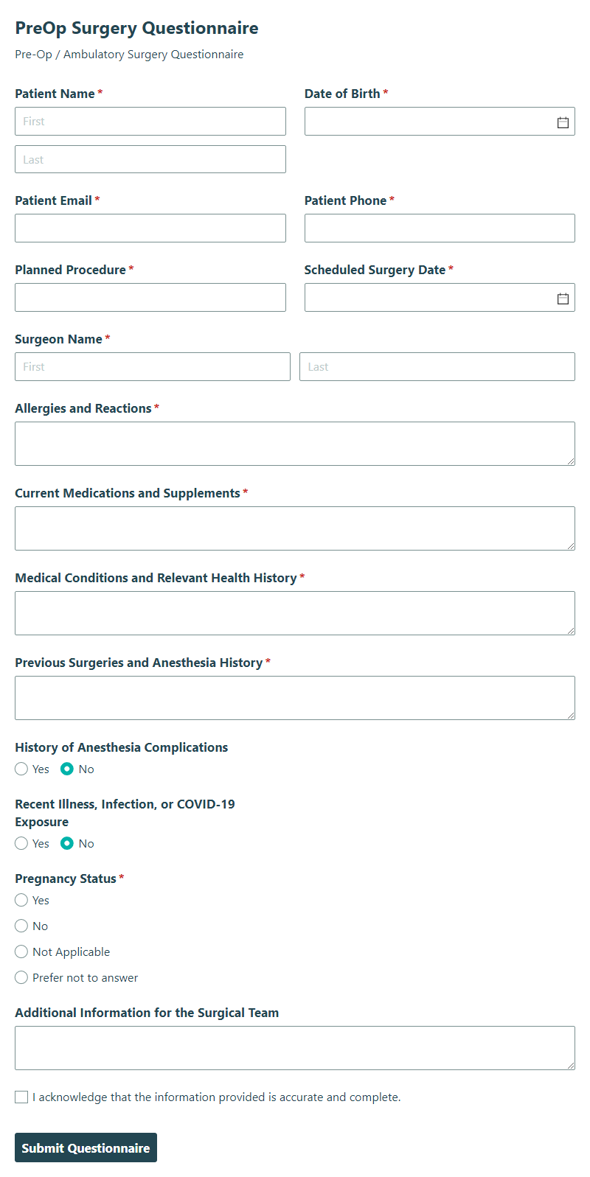
Pre-Op Surgery Questionnaire
Collect patient details and medical information before an ambulatory surgery procedure with the Pre-Op Surgery Questionnaire, so your team can prepare with confidence.
Preview
Medical history forms help clinics and care teams replace paper questionnaires and handwritten charts with organized online records. Explore templates for adult and child medical history, health history questionnaires, and immunization records, then customize the forms that fit your practice.
About Medical History and Records Forms
Medical history forms give patients, parents or guardians, nurses, and providers a consistent way to share and review health information before a visit. Instead of collecting answers on clipboards or retyping them into patient files, you can use online forms to gather health details and vaccine records in one place.
Cognito Forms offers free medical history templates you can adjust to your practice, including repeating sections, conditional logic, Save & Resume, and electronic signatures. For practice managers and clinic staff, online forms make it easier to keep records organized and review entries before appointments. Looking for registration paperwork? Browse patient intake forms, or explore the full set of medical forms.
How to Create Medical History and Records Forms With Cognito Forms

Use a template
Choose the medical history form template closest to your process, then customize the fields, instructions, and confirmations for your practice.

Describe what you want with AI
Use the AI Form Generator to describe the medical history form you need, such as a family medical history form or a vaccination record.

Start from scratch with drag-n-drop
Build your medical history form manually when you need full control over layout, fields, and conditional logic.
Frequently Asked Questions
A medical history form records a patient’s past and current health, including conditions, medications, allergies, surgeries, and family history, so providers can plan safe care. Most practices have patients complete one at their first visit.
Adult patients usually complete their own form, and a parent or guardian completes it for a child. Pair either one with an adult new patient registration formAdults) to collect contact and insurance details.
Many practices ask patients to review their history once a year and after major changes such as a new diagnosis, medication, or surgery. Follow your own policies and any state or professional requirements.
You can make forms HIPAA-compliant by signing a Business Associate Agreement. This feature is offered to Enterprise users. Review your own compliance requirements too, since HIPAA covers how your practice handles patient data, not only the tools you use.
Use the immunization record template to track vaccines, with repeating sections and tables for multiple entries. Zapier, Microsoft Power Automate, and webhooks can connect entries to other systems you use.
Create a form with AI