Cognito Forms vs Microsoft Forms
The Best Microsoft Forms Alternative
Microsoft Forms is great for quick surveys, after all, it’s free with Microsoft 365. That is, until you need to collect payments, files from external users, e-signatures, or route approvals. With Cognito Forms, your forms don’t stop at “submit” - they finish the job.
Why Cognito Forms?
Stop Patching Tools—Start Completing Work
Fewer steps, higher completion
People can submit information, sign, and pay in a single flow—so nothing gets lost between “form submitted” and “action taken,” unlike Microsoft Forms’ disconnected workflows.
Forms that don’t stop at submission
Instead of leaving you with static responses that require manual follow-up, turn submissions into routed, trackable processes with clear ownership and approvals.
Made for teams and customers
Works just as well for customers, clients, and partners as it does internally—without blocking file uploads or forcing people into Microsoft accounts.
Why Customers Choose Cognito Forms
All the capabilities you need, without the limitations.
With Microsoft Forms:
With Cognito Forms:
Microsoft Forms
File upload is only available when the form is restricted to people in your organization—when you switch to “Anyone can respond,” Upload File is greyed out, and there’s no built-in way to enable external uploads.
Cognito Forms
Add a File Upload field so respondents can upload PDFs, images, and other files as part of their submission—with controls for file types/limits, plus options like encryption at rest and bulk downloads on paid plans.
Ideal for vendor onboarding, support requests, applications, and any external-facing form that needs attachments—without sending people to separate upload links.
Microsoft Forms
No native payment integration - forcing teams to rely on external links, Power Automate workarounds, or additional paid tools to collect payments outside the form experience.
Cognito Forms
Built-in payment integrations with Stripe, PayPal, and Square, allow you to collect payments directly inside the form without redirects or custom development.
Use conditional logic, calculations, and workflows to automate what happens before and after payment.
Microsoft Forms
There’s no e-signature field. Users resort to uploading an image of a signature or routing to a third-party signing tool via Power Automate.
Cognito Forms
Built-in electronic signature fields can be added anywhere on your forms. Signatures can be collected by drawing the name with a mouse or typing the name.
Collect signed waivers, contracts, consent forms, and approvals as part of the same submission—then automatically route, store, and generate documents without leaving the form.
Microsoft Forms
As soon as the form gets complex, there are logic or structure limits. Workflow requires workarounds or external tools like Power Automate.
Cognito Forms
Automate your workflows with roles, statuses, approvals, conditional logic, calculations, and save-and-resume. You can design, automate, and track multi-step internal processes directly within the form.
Ideal for PTO requests, purchase approvals, onboarding, and internal workflows that need routing, visibility, and logic—not just form submissions.

Where Power Meets Simplicity
You shouldn't have to choose between powerful functionality and ease of use—with the right platform, you get both. See how the features stack up.
| Cognito Forms Team Plan $39/mo with 5 users | Microsoft 365 Business Standard $75/mo with 5 users | |
|---|---|---|
| Standalone product | Included with Microsoft 365 plans | |
| Must have subscription to fill out form | Can be shared externally, but some features are disabled | |
| Free starting plan level | ||
| No coding required | ||
| Integrations & API access | Integrations through Microsoft Power Automate | |
| Workflow automation with forms Create automated workflows with automatic notifications, custom workflow statuses, and advanced logic. Require fields for certain roles or workflow steps. | ||
| Client portals | 5 guests/mo included; Additional guest tiers start at $25/mo for 50 guests | |
| Custom branding & themes | ||
| Conditional logic Show and hide fields based on other form fields, the current workflow status, or who is accessing the form. | Basic branching only | |
| Lookup fields Use entry data from other forms to populate dropdowns, perform calculations, or display text in a new form. | ||
| Save & resume capabilities Allows form users to save their progress and finish an incomplete form at a later time. | ||
| Payment collection Built-in payment integrations (Stripe, PayPal, Square) for collecting payments directly from forms. | ||
| Electronic signatures Collect electronic signatures on any form or any device by simply adding a signature field. | ||
| Advanced calculations | ||
| File uploads | Disabled for external users | |
No credit card required |
No credit card required
Where Customers See the Difference
See how Cognito Forms compares to Microsoft Forms in the key areas that matter most to teams.
| Cognito Forms | Microsoft Forms | |
|---|---|---|
| Functionality | 4.6 | 4.3 |
| Value for money | 4.7 | 4.6 |
| Template management | 4.7 | 4.3 |
| Customizable fields | 4.7 | 4.4 |
| Overall rating | 4.7 | 4.6 |





departments
processing
their previous form-builder

"It was easy to squeeze in the cost of Cognito Forms Enterprise. It was a no-brainer, especially with no long-term contract."

card delivery time
since implementation

"Cognito Forms is great for any small business that can't necessarily afford a developer. It reduces staff labor, which is a savings cost, and improves the client experience."

onboarding time
over three years

"There was no way we could have grown so much if we didn't have Cognito Forms. Really, it has become the backbone for managing the entire organization."

member selection
duplicate data entry

"Cognito Forms allows us to create processes that we have full control over. We have so much flexibility compared to other SaaS products."

portal and receive
automatic reminders
and inefficiencies

"Cognito Forms’ Guest Access and Task Reminders almost completely eliminate the need for my staff to make manual follow-up calls."

Forms that Power Your Processes
Go beyond collecting responses—automate the busywork, connect every step of your process, and create workflows that keep your clients and team in sync.
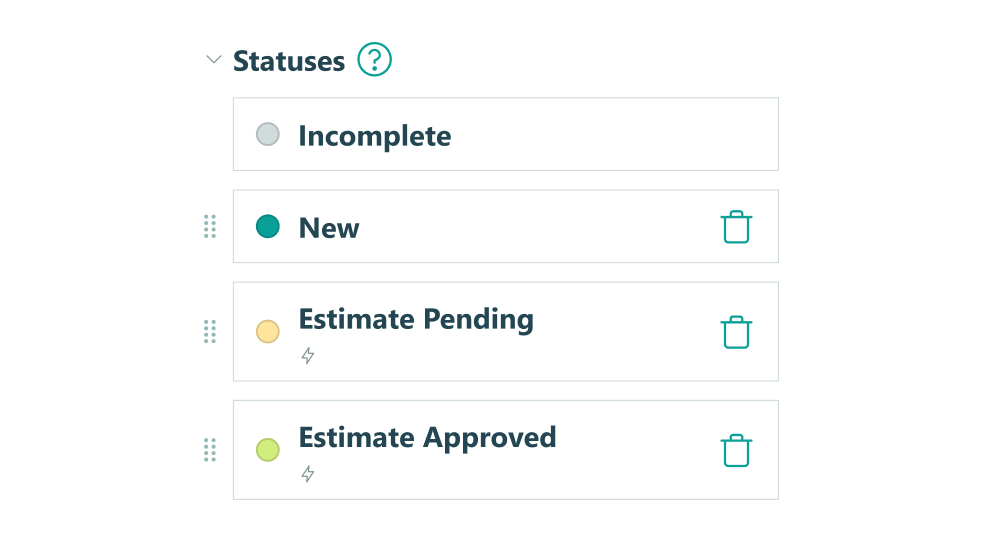
Build custom forms with Workflow statuses, actions, and roles to automate approvals, route submissions, and trigger next steps, without manual handoffs or bottlenecks.
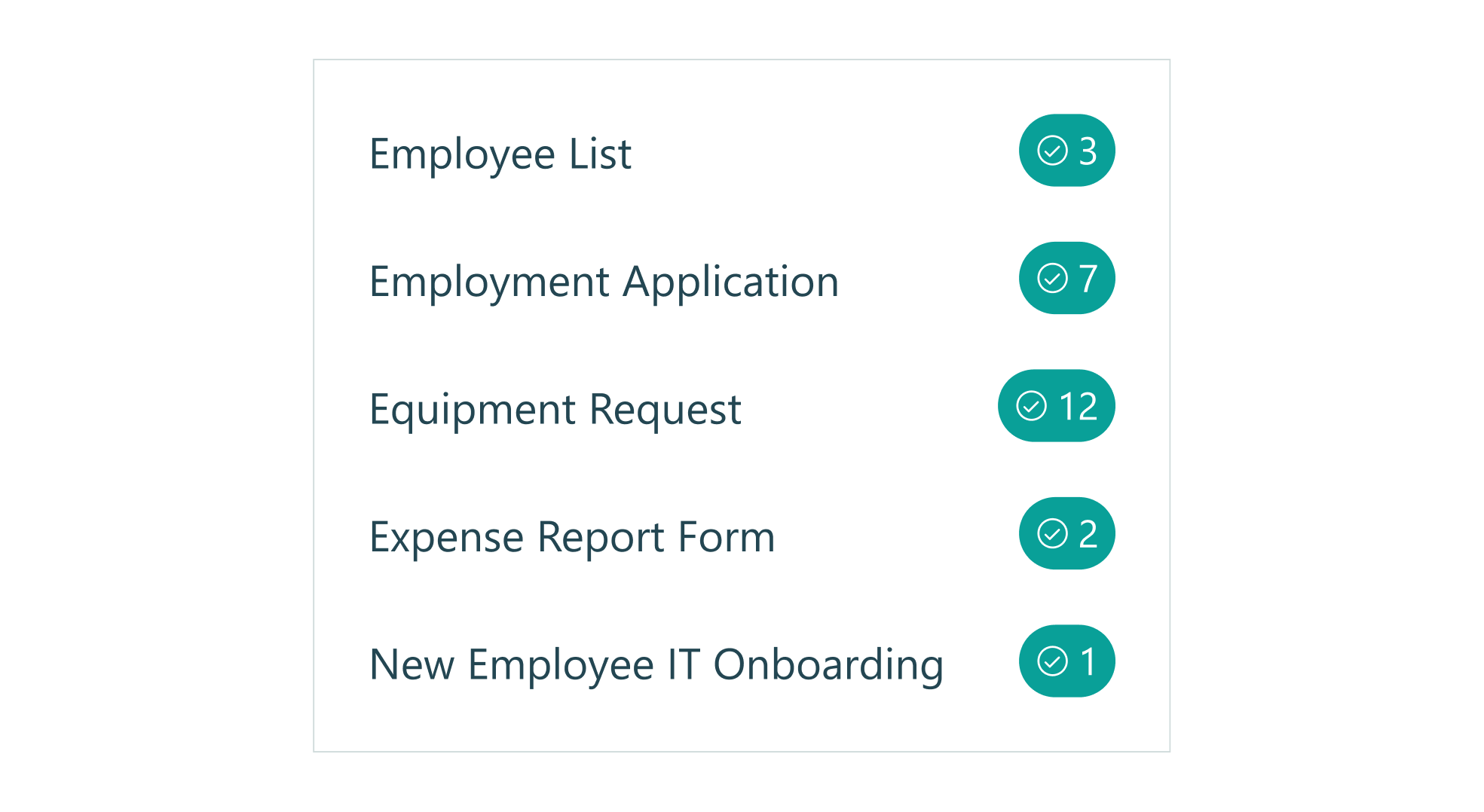
Assign tasks with deadlines, send automatic reminder emails on schedule, and ensure your work moves forward without constant oversight.
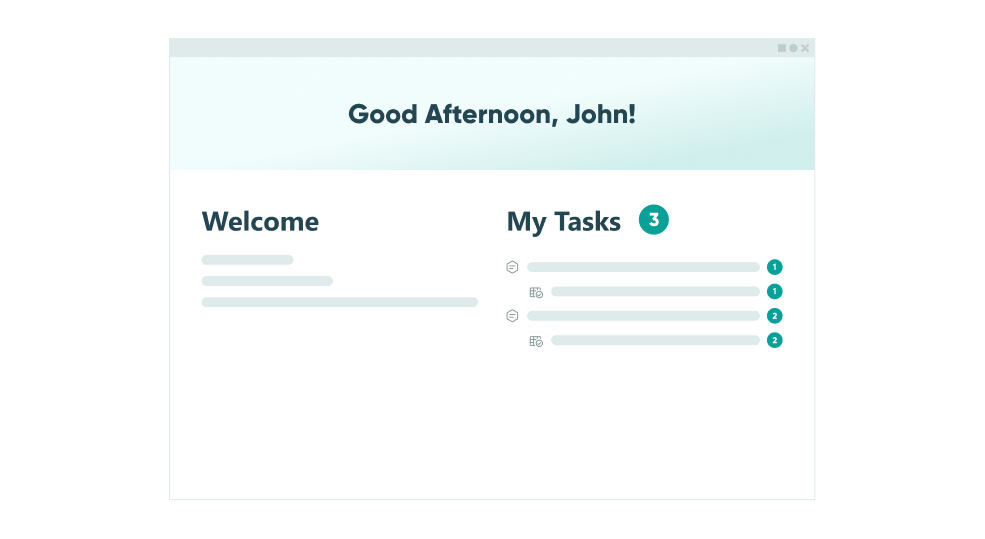
Create secure, self-service portals for your customers to submit forms, view previous submissions, complete assigned tasks, and track form status, all without your help.
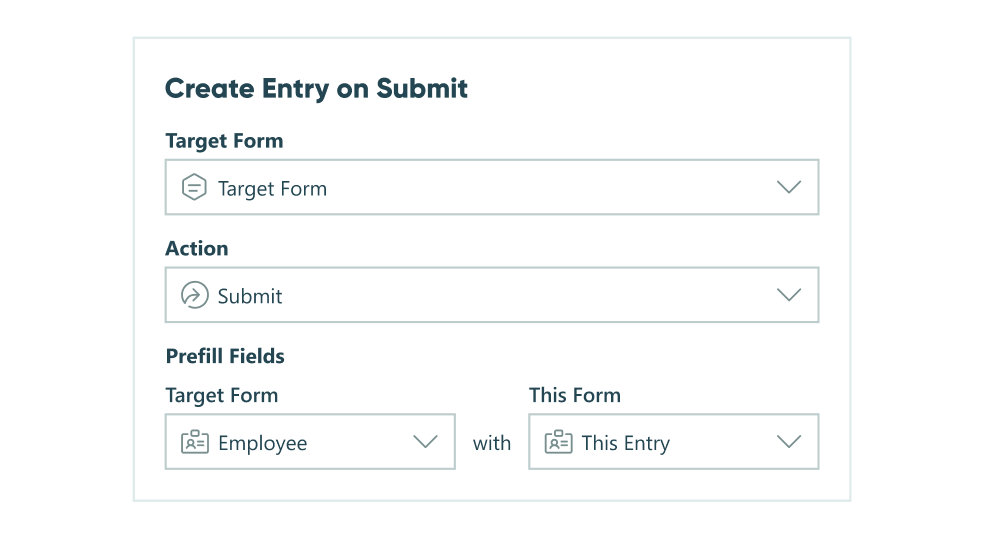
Automatically create new entries in other forms when a new submission comes in, populating fields and connecting related information across your forms and workflows.
Online Form Builder
Simple enough
for quick setup,
customizable
for power users
- Repeating Sections
- Data Lookups
- Calculations
- Integrations
- Conditional Logic
- Custom Themes
Integrate with Platforms You Already Use
Our data integrations make connecting your data with your existing tools easy - for maximum impact.




Ready to Choose Cognito Forms?
Start your free trial today and experience the powerful features you need at a price you'll love. No credit card required.