
Looking to integrate workflow automation into your business?
This guide explains workflow automation, shares top recommendations, reviews software options, and offers tips for choosing the right tool for your business.
Jump to our Workflow Automation Software for 2026 Shortlist and complete list of Best Workflow Automation Software for 2026.
What is Workflow Automation?
Imagine spending hours transferring data, only to find a mistake at the end and have to redo the entire process.
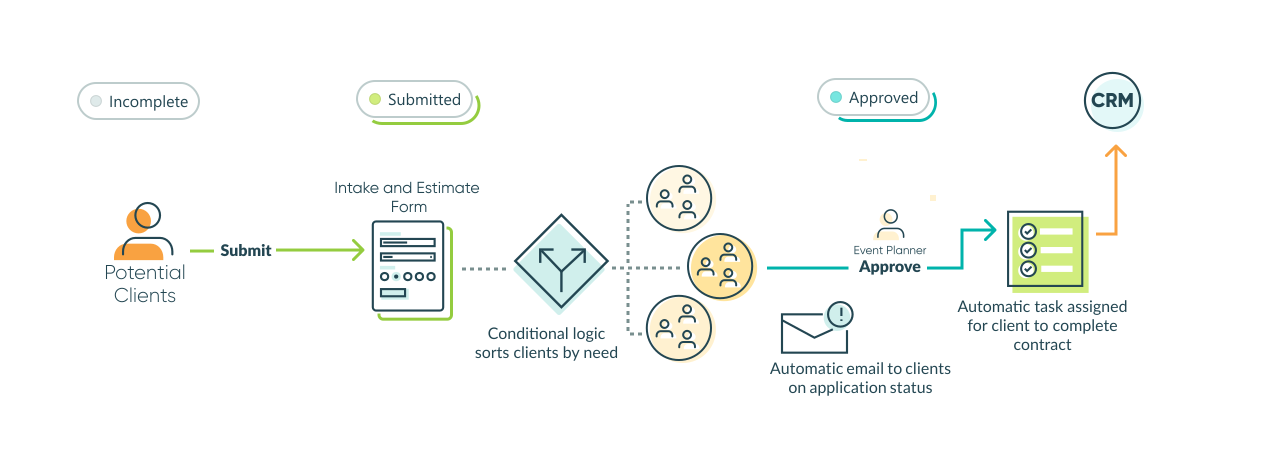
Workflow automation software uses triggers, conditions, and actions to execute repetitive tasks automatically across applications and teams. A helpful visualization is “when X happens, do Y.” You create an automated workflow by creating a rule. Once that’s set, the process can occur thousands of times, replacing manual handoffs such as routing, approvals, and notifications—reducing errors and freeing employees for higher-value work.
As a result, demand for workflow automation continues to skyrocket. Businesses are more than ready to automate to experience change, according to Mordor Intelligence. The current global workflow automation market is valued at $23.77 billion in 2025 — impressive. It is projected to reach $37.45 billion by 2030.
What does this tell us? That the value is undeniable. Businesses and teams of all sizes find that not only are they more efficient, but they also have more time for human-centered work, which feels essential.
Types of Workflow Automation Tools
Workflow automation tools are highly versatile. Regardless of your business size, different teams and industries need various kinds of automation. To choose the best tool, it’s useful to understand the major categories.
-
Integration platforms
Integration-as-a-service (iPaaS) platforms connect the multiple digital software platforms in your tech stack. If you use two or more systems, an integration platform (for example, Zapier or Make) can connect your applications and streamline data transfer and manual processes. With these platforms, you set a trigger to initiate an action.
For instance, when a new client order is added to your database, an integration can automatically add the client and their email to MailChimp to start a drip campaign immediately. -
Project management with automation
Project management tools such as monday.com and Asana streamline workflows inside the project platform. Their automation features primarily handle actions such as assigning an owner when a status changes, setting due dates, and moving work through stages. This simplifies handoffs and collaboration, making execution more efficient and predictable. -
Form-based automation
Form-based automation starts with a form submission that triggers a workflow. This can be as simple as “form submitted -> automatic notification sent,” or as complex as powering a full business process: “completion of an intake form -> routing and approvals -> downstream tasks completed.” It’s useful for operational workflows that need fast implementation and structured, accurate data. -
Business process management
Business process management (BPM) systems play a vital role in managing repeatable business processes from start to finish. Unlike integration platforms that may automate a single step, BPM tools focus on running the entire process within a single system. With capabilities like versioning, governance, and continuous improvement, BPMs help teams implement and track changes over time, control how processes are updated, and improve automation at scale. -
Enterprise automation
Enterprise automation involves automation platforms with enhanced capabilities and governance. These automations operate across the entire enterprise, connecting multiple systems and operating at scale. They enable tight integration with key applications such as ERP, CRM, and FRIS, while also coordinating complex activities across teams and systems. According to Gartner, by 2026, 30% of enterprises are expected to automate over half of their network tasks, highlighting a swift shift toward extensive automation.
Key Benefits of Workflow Automation
While different workflow automation tools are suited to address various kinds of automation needs, the results businesses achieve are the same: saving time, minimizing mistakes, and keeping work flowing.
Time savings
Workflow automation reduces unnecessary work and frees up time each week. Instead of employees repeatedly performing the same tasks, automation greatly reduces the time needed for those processes. Slack’s research reports an average of 3.6 hours saved per week through automation. Forrester’s TEI for Microsoft Power Automate shows annual savings of around 250 hours for roles that involve significant manual effort, especially when automating time-consuming tasks.
Error reduction
Automated workflows minimize manual re-entry and copying/pasting, reducing the risk of typos, missed steps, and inconsistent data across systems. This helps prevent important client information from being overlooked or falling through cracks, which can lead to lost deals.
Faster approvals
Automated routing, notifications, and clear ownership reduce waiting and follow-ups. In approval-heavy processes, these features shorten cycle time by automatically sending requests and reminders to the right person and preventing work from stalling in inboxes. When you consider that filling a single position takes an average of 42 days according to SHRM, the automation of approval workflows becomes critical for keeping processes moving.
Cost savings
Workflow automation software drastically reduces labor costs, increases profits, and reduces year-over-year costs associated with legacy software. Deloitte’s reports indicate that organizations expect a 31% cost reduction over three years with intelligent automation. Forrester found a 384% ROI in organizations that implemented a BPM automation platform for their most important business processes.
Scalability
Automation enables teams to handle larger workloads more smoothly, without significantly increasing staff, especially routine, rule-based tasks. As AI technology advances—with global AI market revenue expected to reach $126 billion by 2025, according to Hostinger—automation tools are becoming increasingly sophisticated. This allows automation to handle complex processes that scale with the business.
Workflow Automation Software for 2026 Shortlist
The market for workflow automation is growing rapidly. Choosing the right option for you has become more overwhelming.
Here are a few that stand out due to their quality, automation capabilities, ease of implementation, and suitability for different needs.
Best overall for most teams: Zapier
With over 8,000 app integrations, Zapier is vital for businesses of all sizes to connect their tech stack. Its quick setup, visual workflow builder, and simple system connections make it ideal for automating workflows.
Best for form-to-workflow automation: Cognito Forms
Best for use cases needing structured data, conditional logic, approvals, and routing. Cognito Forms can automatically trigger actions such as creating tasks, notifying teams, generating documents, and transferring data via integrations, supporting operational workflows with accurate data collection.
Best for task management automation: ClickUp
ClickUp is a top project management platform renowned for task automation. It offers workflow automation, allowing users to set rules for subsequent actions, simplifying project execution. With features like messaging, video, and docs, it’s a versatile and effective automation tool.
Best for enterprise automation: Workato
Workato is ideal for companies needing governance, security, IT oversight, and complex orchestration across core systems. Its deep, scalable integrations suit organizations with frequent processes, making it perfect for end-to-end workflow automation.
Best Workflow Automation Software for 2026
The “best” automation tool depends on where your workflow lives and the needs you see for your business. This table summarizes the strongest options by use case.
*Note: some of these are annual prices; month-to-month prices are generally a few dollars more.
| Software | Best for | Type | Free plan | Starting price |
|---|---|---|---|---|
| Zapier | Fast automation across thousands of platforms | Integration platform | Yes | $19.99/month |
| Make | Powerful visual integration workflows | Integration platform | Yes | $9/month |
| Kissflow | Low-code workflow/BPM | BPM | No | $2,500/month |
| Microsoft Power Automate | Microsoft 365 + enterprise + approvals + RPA | Enterprise (iPaaS) | No, free 30-day trial only | $15/user/month |
| Workato | Enterprise iPaaS + deep business process orchestration | Enterprise (iPaaS) | Schedule a demo | Contact sales |
| ClickUp | Task management automation | Project management | Yes | $7/month |
| Pipefy | Structured process workflows | BPM | Yes | Contact sales |
| Monday.com | Visual ops workflows with lightweight automation | Project management | Yes | $12/user/month |
| Asana | Cross-team workflow automation around projects/tasks | Project management | Yes | $10.99/user/month |
| Cognito Forms | Custom, powerful workflow automation | Form-based | Yes | $19/month |
| Jotform | Form-driven automations and approvals | Form-based | Yes | $34/month |
| Typeform | High-conversion form intake with light automation | Form-based | No | $25/month |
Zapier
Best for: Fast automation across thousands of applications
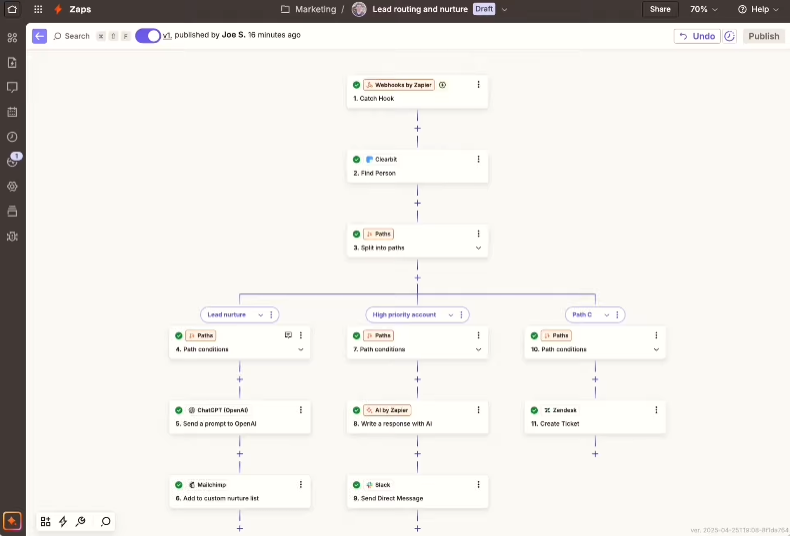
Zapier is a dynamic workflow automation tool that streamlines and connects widely used software tools. The platform serves as a digital glue for more than 8,000 web apps. It enables users to build “Zaps” that automatically trigger sequences of events across various platforms.
Key Features
- Multi-step Zaps
- Visual workflow editor
- Paths/conditional logic
- Team sharing/admin features
Pricing
Free, Starter: $19.99/month, Professional: $49.00/month, Team: $399/month, Company: Contact for quote
- It offers a wide range of integrations with over 8,000 web apps
- Has a user-friendly interface
- Requires no-to-low technical knowledge for basic automation.
Pros
- Complex workflows cost more
- Reliance on third-party integration services might limit customization options
Cons
G2 Rating: 4.5/5 (1,715+ reviews)
Make
Best for: Visual, powerful multi-step integrations
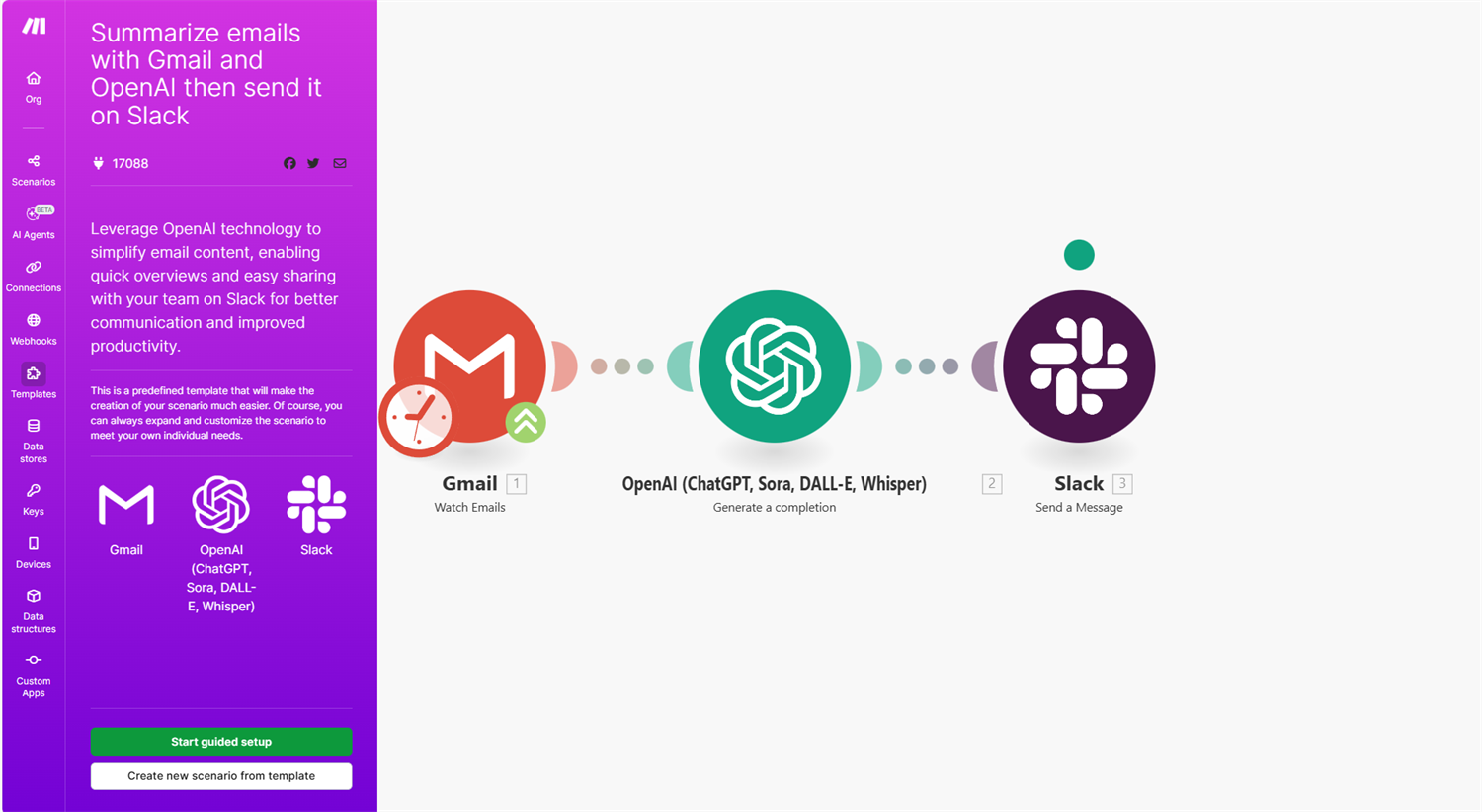
Make is an iPaaS automation tool with a highly visual builder for complex scenarios. It’s a great pick when your workflow requires branching logic, transformations, and multi-app coordination without the full cost of an enterprise integration platform. Best for multi-step integrations for small- to medium-sized businesses.
Key Features
- Multi-step, visual scenario builder
- Branching logic and data transformation
- Large application catalog + webhooks and APIs
- Scheduling and monitoring tools
Pricing
Free, Core: $9/month, Pro: $16/month, Teams: $29/month, Enterprise: Contact for quote
- It offers a wide range of integrations with over 8,000 web apps
- Visual scenario builder simplifies branching logic
- Strong value and capabilities for advanced automation users
Pros
- Steeper learning curve
- More complex scenarios can run up costs
Cons
G2 Rating: 4.6/5 (265+ reviews)
Kissflow
Best for: Low-code workflow BPM for business teams
Kissflow is a tool for businesses to develop low-code enterprise automation. It’s super user-friendly, so you don’t need to be a tech wizard to learn how to use it, and it includes several integrations with popular apps. For more advanced organizations, Kissflow offers additional features to support connected app development.
Key Features
- Internal, end-to-end automations
- Workflow governance and limited visibility to users based on access, roles, and conditions
- Low-code process building option for deeper customization
- App development platform
Pricing
Starts at $2,500 per month
- Low-code workflow/process builder—giving deep workflow customization options
- Strong “process apps” owned by business teams
- Designed around the end-to-end process control
Pros
- Lacks flexibility in scaling to complex workflows for large organizations
- Steep learning curve, more technical platform
Cons
G2 Rating: 4.3/5 (590+ reviews)
Microsoft Power Automate
Best for: Microsoft 365 automations and RPA
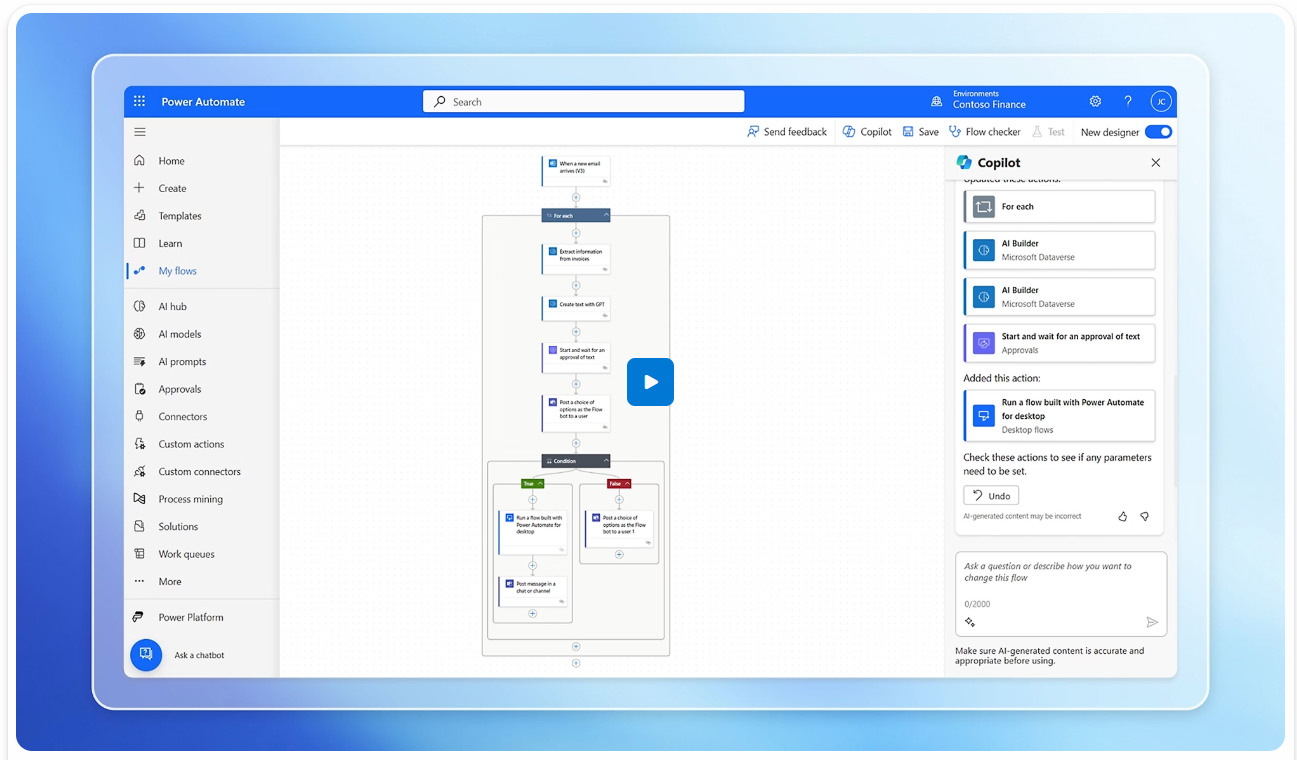
Microsoft Power Automate offers comprehensive automation capabilities through its cloud platforms. These tools are for everyone, but they work best for businesses deeply integrated with the Microsoft ecosystem. These platforms enable the automation of complex workflows across various applications.
Pricing
Premium: $15/user/month, Process: $150/bot/month, Hosted Process: $215/bot/month
Key Features
- Supports both cloud-based automation (from one system to another)
- Supports robotic process automation (robot assistant to assist with actions performed on your desktop)
- Routes approvals and sends automatic notifications
- Enterprise-level administration and security
- Over 1,400+ prebuilt connectors (integrations) available
- Has cloud-based workflows and RPA desktop flows in one product line
- Strong governance and security on enterprise levels
Pros
- Licensing can get complex depending on user, process, and features
- Limited to Microsoft users
Cons
G2 Rating: 4.4/5 (940+ reviews)
Workato
Best for: Enterprises that want deep integration and security
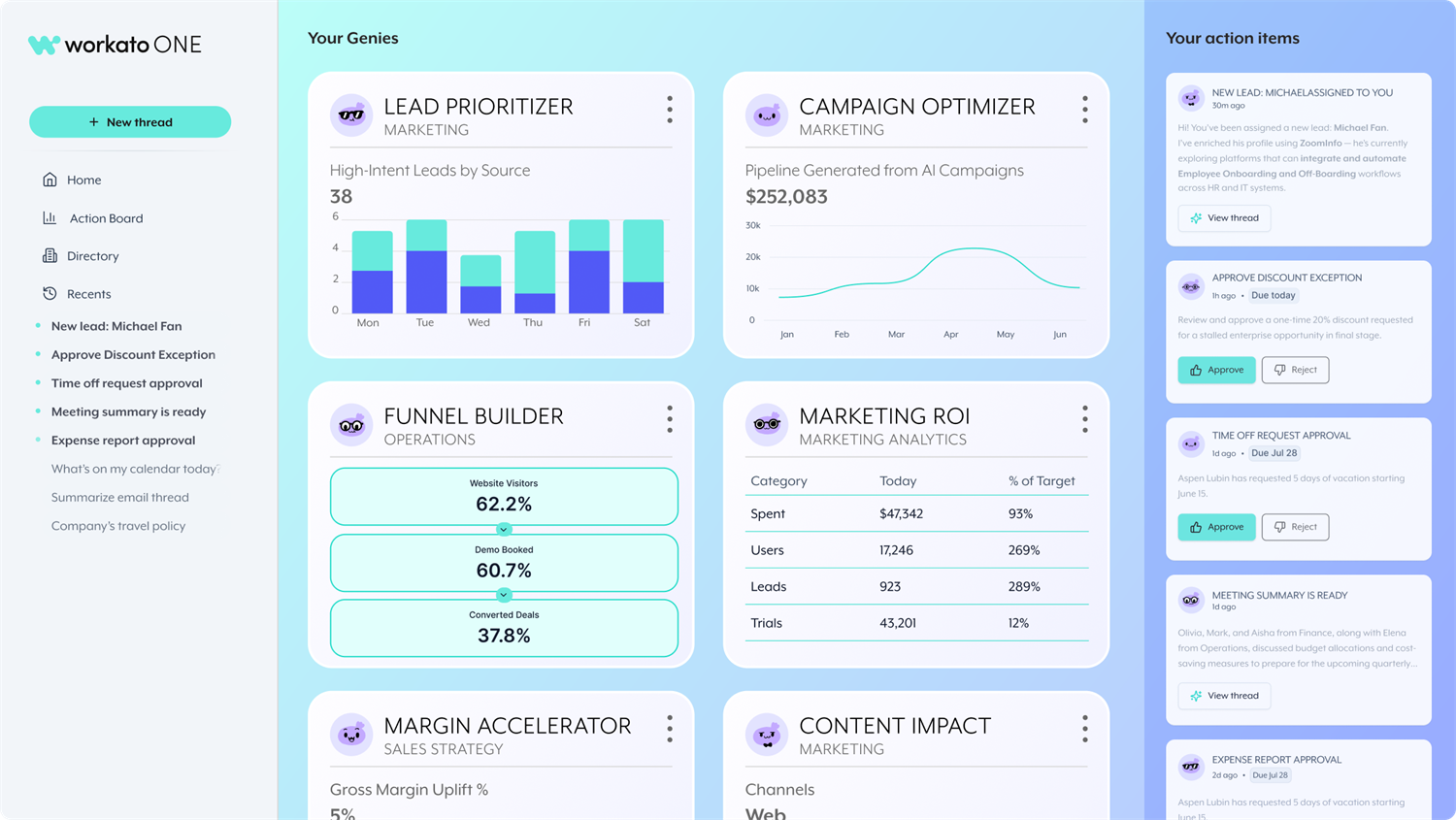
Workato is for the big players–specifically, enterprise organizations with significant security and scalability needs. Companies need a strong, secure way to ensure all their apps and processes work together smoothly, and Workato provides that without requiring users to code everything from scratch.
Key features
- Enterprise-level integrations
- Workflow orchestration across many teams and systems
- Monitoring, security, and administrative controls
Pricing
Only available via quote.
- Enterprise-grade scalability and governance
- Robust automation capabilities for cross-system automation
- Organization-specific custom workflow automation
Pros
- Service cost and implementation efforts can be heavy for small teams
- Requires more platform oversight to get full value
Cons
G2 Rating: 4.7/5 (474+ reviews)
ClickUp
Best for: Task management automation in an all-in-one workspace
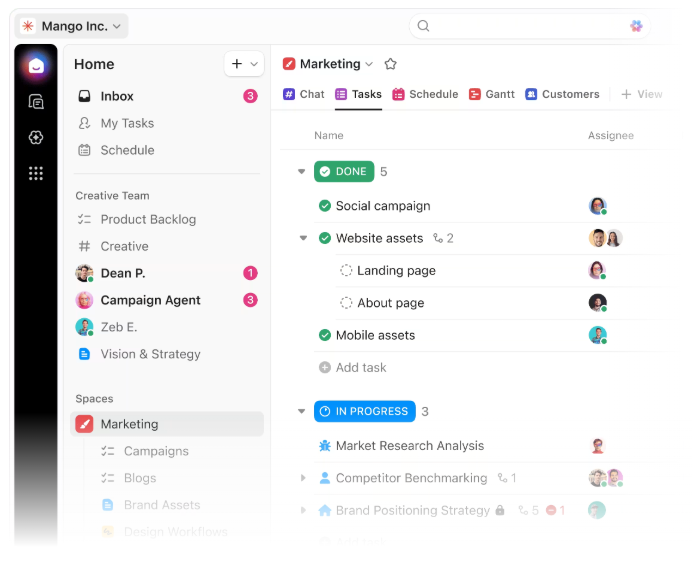
ClickUp is a work management platform that combines tasks, docs, dashboards, and automation in one platform. It’s a strong choice when you want a single workspace to manage team execution and automate routine project operations.
Key features
- Boards for tracking project status and ownership
- Rule-based automations
- Dashboards and workload views
- Integrations (light integrations within the platform)
Pricing
Free, Standard: $12/seat/month, Pro: $19/seat/month, Enterprise: Contact for quote
- Very approachable for non-technical teams
- Great visibility and adoption across departments
- Build custom workflows with ClickUp API
Pros
- Cross-system orchestration needs a third-party integration for deep integrations
Cons
G2 Rating: 4.7/5 (10,958+ reviews)
Pipefy
Best for: Structural internal process workflows
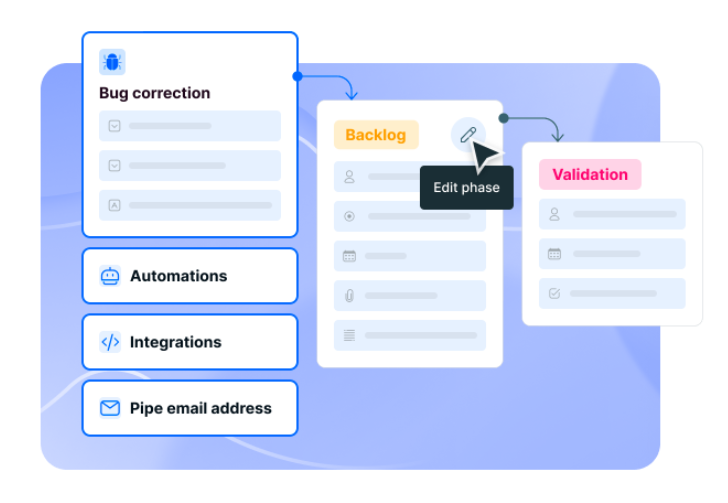
Pipefy is a workflow-based business project management platform for building structured processes, including procurement, HR requests, ticketing, and approvals. It’s a good fit for when you want your “process app” to live in one place with stages, rules, and accountability.
Key features
- No/low-code process pipelines with stages and rules
- AI agents
- Forms, intake, and routing workflows
- Reporting and process visibility
Pricing
Free plan available
- Great for repeatable, trackable internal processes
- End-to-end orchestration
- Clear visibility and ownership in each step
Pros
- Advanced features cost more
Cons
G2 Rating: 4.6/5 (265+ reviews)
monday.com
Best for: Visual operational workflows
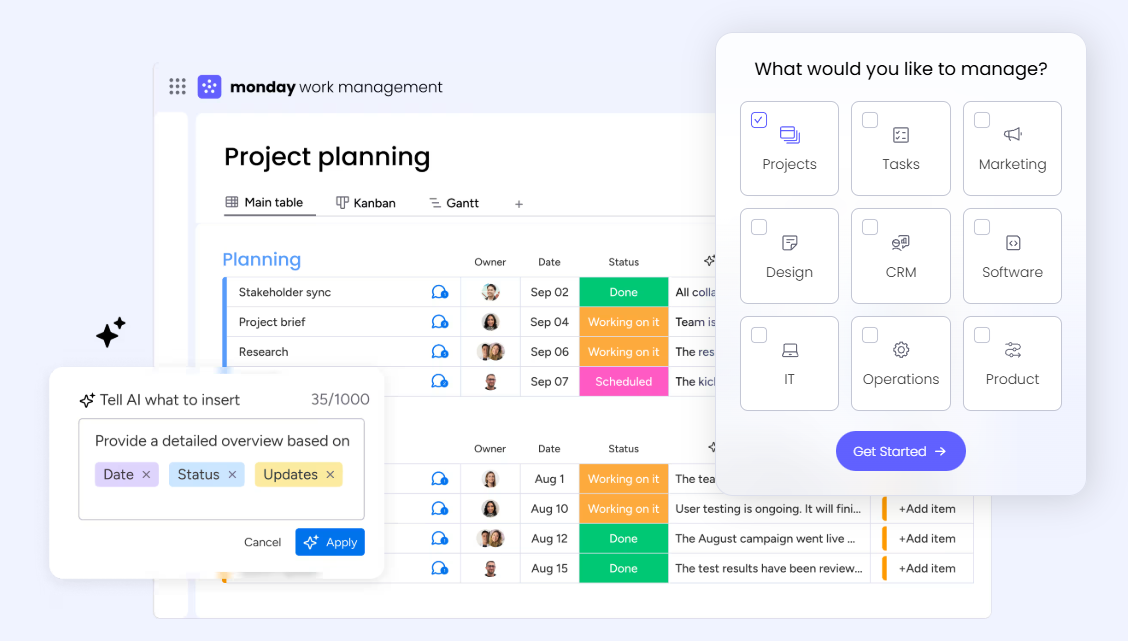
Monday.com is a project management platform known for its clear visual interface that helps teams stay organized across different industries. With its automation rules, teams streamline handoffs and reduce manual status chasing. It’s best when you want workflows to live where teams already track work.
Key features
- Boards for tracking project status and ownership
- Rule-based automations
- Dashboards and workload views
- Integrations (light integrations within the platform)
Pricing
Free, Standard: $12/seat/month, Pro: $19/seat/month, Enterprise: Contact for quote
- Strong workflows around boards, columns, and statuses
- Great visibility and adoption across departments
- Easy to implement for most users with configurable "recipes"
Pros
- Cross-system orchestration needs third-party integration platform
- Workflow builder is limited to higher-tiered plans
Cons
G2 Rating: 4.7/5 (12,694+ reviews)
Asana
Best for: Cross-team project workflows and task automation
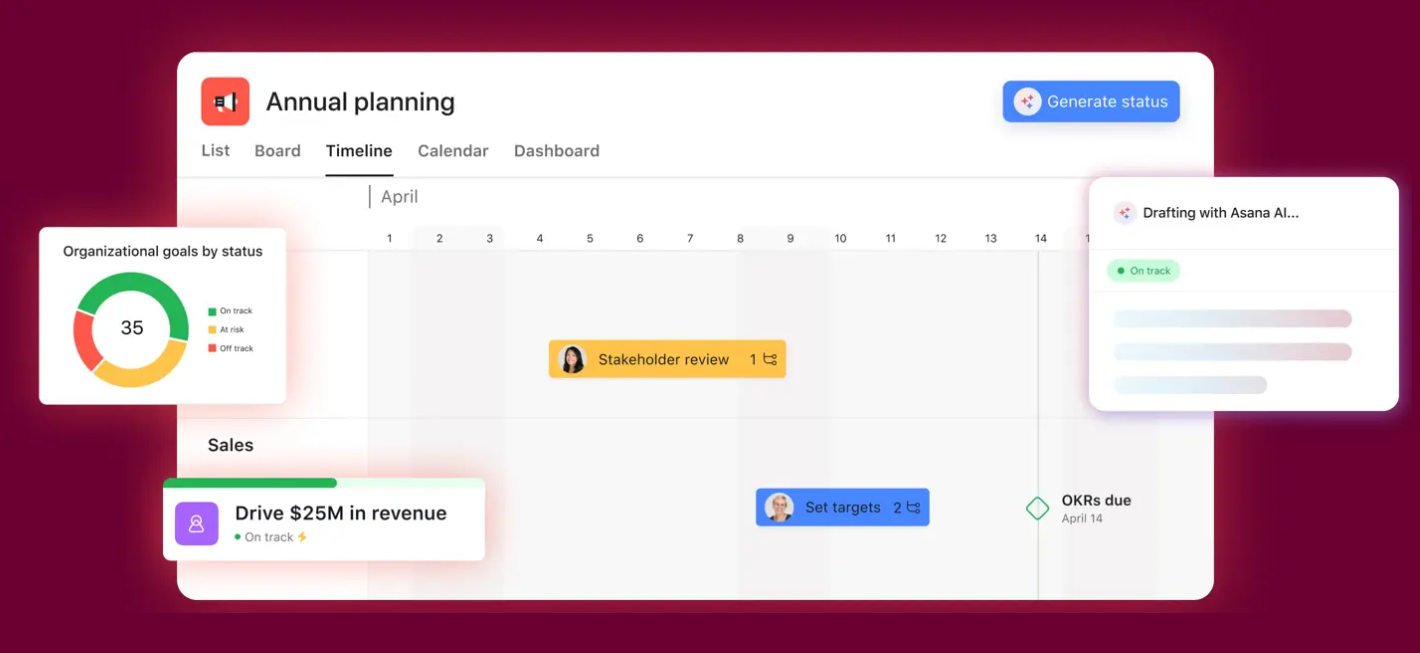
Asana is a project management tool with automation features that help streamline project execution, including handoffs, routing, and reminders. You can create templates and tasks with automated rules for project timelines and task assignments, while maintaining visibility across the projects teammates are working on.
Key features
- Rules for routing tasks and updating fields/statuses
- Approvals and task dependencies
- Pre-built and custom templates for repeatable processes
- Cross-team visibility
Pricing
Personal, Starter: $10.99/user/month; Advanced: $24.99/user/month; Enterprise: Contact for a quote.
- Strong for operational project-based workflows
- Easy to standardize repeatable processes across teams
- Native approval system for heavy-review workflows
Pros
- Deep app-to-app integration is limited
- Less flexible with highly custom "spreadsheet-like" board designs
Cons
G2 Rating: 4.4/5 (12,965+ reviews)
Cognito Forms
Best for: Custom, powerful workflow automation
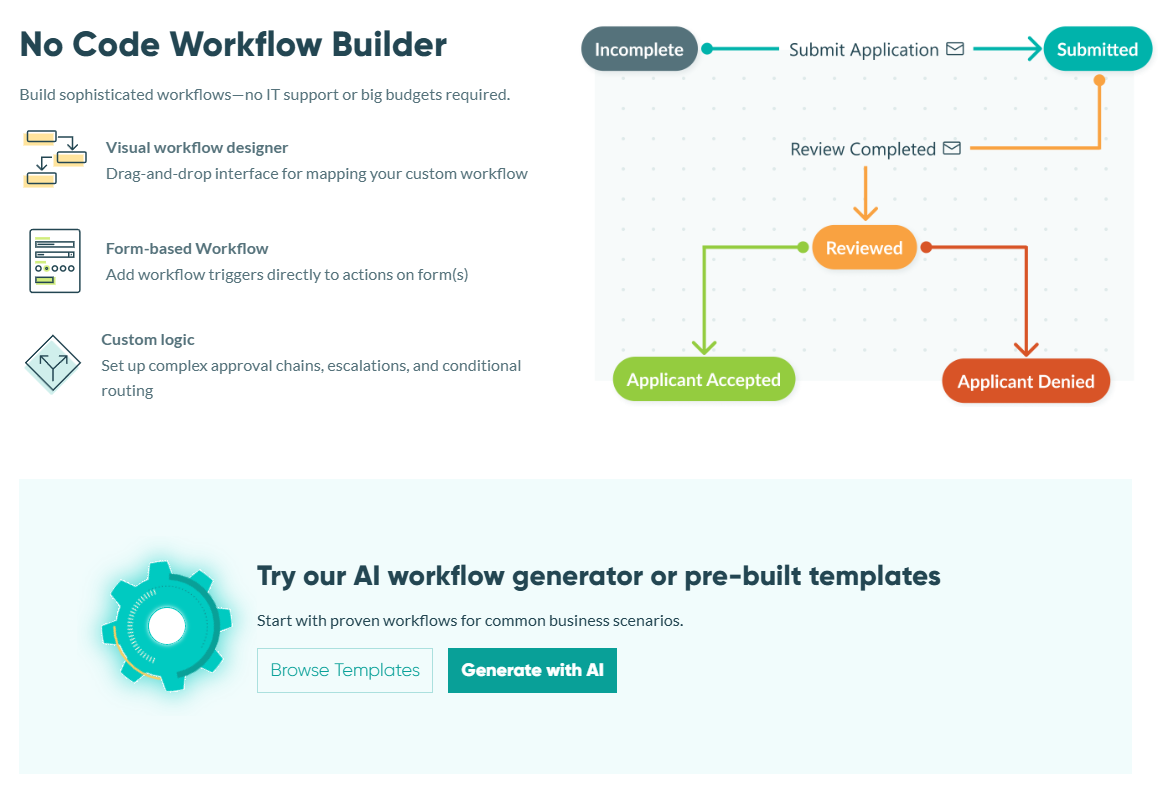
Cognito Forms is a powerful no-code platform that automates assignments, approvals, notifications, and downstream steps—enabling any business to access powerful workflow automation features. It handles your unique data needs with smart forms that efficiently handle payments, delegate tasks, and organize information.
Price
Free, Pro: $19/month, Team: $39/month, Enterprise: $129/month
Key Features
- Smart forms with calculations, conditional logic, and data validation.
- Workflow automation (routing, notifications, tasks)
- Payments and e-signature
- Secure data management
- Integrates with many applications
- Form-led automation for simple and complex business workflows
- AI workflow builder and templates for quick implementation
- Known for heavy data processing and highly custom workflows
Pros
- Workflow automation needs some no-code setup, not ideal for plug-and-play users
Cons
G2 Rating: 4.5/5 (88+ reviews)
JotForm
Best for: Pre-built form-to-workflow automations
JotForm is a popular online form builder that lets people easily create website forms or share links directly to collect information, registrations, payments, and more. It can also connect with several other apps to make life easier.
Pricing
Free, Bronze: $34/month, Silver: $39/month, Gold: $99/month, Enterprise: Contact for quote
Key Features
- Drag-and-drop builder and templates
- Approval flows and notifications
- Integrations and automation add-ons
- Wide breadth of form features and use cases
- Hundreds of templates for building workflows
- Known for heavy data processing and highly custom workflows
Pros
- Pricing and limits are volume-driven, so scaling can get expensive with usage
- May not address all business automation requirements internally
Cons
G2 Rating: 4.7/5 (4,671+ reviews)
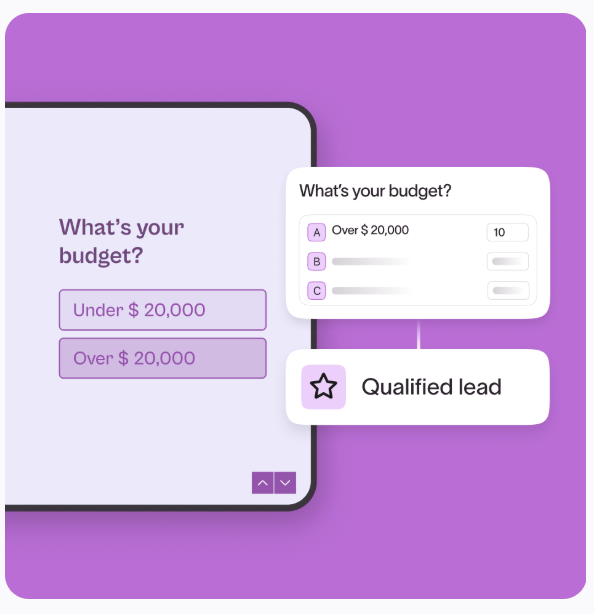
Typeform
Best for: Marketing + client UX/UI intake forms
Typeform is a leading form-building platform known for its beautiful UX/UI. Because of this, it’s popular for client intake and lead generation forms. It offers features such as building forms in a document-style builder and accepting video and audio submissions.
Pricing
Basic $25/month, Plus $50/month, Business $83/month, Enterprise: Contact sales
Key Features
- Conversational form design + branding
- Logic jumps/conditional paths
- Integrations and automation hooks specifically for marketing emails
- Team collaboration (plan-dependent)
- Best-in-class form experience and interface
- Strong for marketing + customer-facing intake
Pros
- Marketing automation costs extra on the Plus plan and above
- Relies on third-party tools for workflow automation beyond lead nurturing
Cons
G2 Rating: 4.5/5 (940+ reviews)
How to Choose the Right Automation Tool
A workflow automation solution requires careful consideration of its features, flexibility, and alignment with your team’s goals. As you explore the available options, there are some basic steps you can take to ensure you’re making the best choice:
-
Conduct a needs analysis
Begin by conducting a needs analysis to understand your workflows. Take a moment to identify those tasks that tend to slow things down, as they can be real bottlenecks. This initial step is like laying a solid foundation, helping you pick the perfect solution that genuinely fits your unique requirements. -
Ask about integrations
Check the compatibility with existing software you already use, such as CRM, ERP, or email providers. Weigh the options between systems that flow with your current tech stack versus systems that don’t. Does this require new software for your team to learn? Is it worth migrating data and systems? Will this system scale with your business? -
Evaluate usability and accessibility
Consider the software’s learning curve. Does it match your team’s technical level? If your team is non-technical, it should offer an intuitive interface that enables users to create and modify workflows with minimal training (and no coding). Also, ask where you can use its workstations and mobile devices. -
Think about future growth
The chosen software should accommodate an expanding number of tasks, users, and workflows without requiring a complete system overhaul. For example, tech companies may need more support for IT workflows, while a charity might look for a solution to grow specific non-profit workflows (outreach, funding, etc.). -
Meets security and compliance requirements
In an era where data breaches are increasingly common, the security protocols of the workflow automation solution are paramount. Verify that it offers robust security features, including data encryption, user authentication, and access controls, to protect sensitive information and comply with industry regulations. -
Consider customer support
Evaluate the quality of the support services, including responsiveness, expertise, and availability. Additionally, see what resources are available, like tutorials, documentation, and community forums, which can be invaluable for troubleshooting and learning. -
Check the price
Understand the pricing structure of the workflow automation solutions under consideration. Consider not only upfront costs but also potential long-term expenses related to upgrades, additional features, or increases in user base. Aim for a solution that offers transparent pricing and delivers value commensurate with its cost. -
Test, test, test
Before making a final decision, seek feedback from potential users within your business. Many workflow automation solutions offer free trials or demo versions; take advantage of these to test the software in real-world scenarios.
Build Powerful Workflows
Cognito Forms is an automation platform that lets you build personalized workflows without the restraints of preset paths, though plenty of templates can do the heavy lifting for you.
Our workflow automation capabilities help involve the right people at the right time to advance work.
- Create adaptable workflows to automate repetitive tasks.
- Show only necessary data per role, enabling quick actions and progression.
- Email notifications keep everyone updated and share Workflow links.
- Tasks are automatically assigned when action is needed.
- Tailor your forms to engage users by displaying relevant fields and asking appropriate questions at each step, ensuring accurate, complete data collection.
If you’re looking to build powerful automations with accurate data and more invaluable features at a value price, Cognito Forms stands out as a top pick.
Making the Choice
Ultimately, selecting the right workflow automation system depends on your unique needs. You understand your team, your requirements, and your business processes best. Workflow automation helps streamline tasks, allowing your team to work more efficiently without sacrificing the work that needs a human touch.
As you’ve seen, many solutions can achieve this goal. Whether you need intake-to-workflows, enterprise-level automation with security, or quick integrations between a small client base and email platforms, there’s an option out there best suited for you. The ideal software seamlessly integrates with your team and supports your daily tasks.
FAQ
Workflow automation software uses triggers, conditions, and actions to automate repetitive tasks across applications and teams, reducing errors and freeing employees to focus on higher-value work.
Workflow automation orchestrates tasks across systems using rule-based logic, while RPA (Robotic Process Automation) uses software bots to mimic human interactions with applications. Workflow automation is typically no-code; RPA often requires more technical setup.
For small businesses, Zapier offers the easiest learning curve with 7,000+ integrations. Cognito Forms is ideal if you need form-based workflows with built-in payments. Both offer generous free plans.
Pricing varies widely depending on your needs and software capabilities. Free tiers are common, starter plans range from $7 to $30 per user per month, and enterprise solutions like Kissflow start at $2,500/month. Most tools use per-user or per-task pricing. Enterprise-grade solutions often incur additional costs to train and implement the software.
Key features include a visual workflow builder, triggers and actions, conditional logic, third-party integrations, approval workflows, notifications/alerts, and reporting/analytics.
Yes, most workflow automation tools provide extensive integrations. Zapier connects to over 7,000 apps; Make offers more than 1,000, and most platforms feature native integrations and API access for custom connections.
Common use cases include employee onboarding, invoice and expense approvals, lead routing and follow-ups, document approval workflows, IT service requests, customer support ticket routing, and marketing campaign automation.
Most modern workflow automation tools are designed for non-technical users, featuring drag-and-drop builders and ready-made templates. Simple automations can be activated in minutes, while complex enterprise workflows might take weeks to fully implement.

Jamie Thomas
Jamie is co-founder of Cognito Forms, an online form builder for organizations seeking to quickly and easily connect with their customers. In his free time, Jamie loves spending time with his wonderful wife and kids, training for triathlons, camping with boy scouts, singing in the choir, and trying out the latest gadgets.