Selecting the best sales tracking software can be overwhelming for newcomers and seasoned users alike. This guide will share what sales tracking tools are, our top recommendations, and help you select the best platform for your business in 2026.
Whether you’re a small business with a handful of leads or a large organization with a complex sales process, effective sales tracking ensures you stay proactive, organized, and on the path to consistent growth.
What you’ll learn:
- What is Sales Tracking Software?
- What is the Best Sales Tracking Software for 2026?
- Why Sales Tracking Software Matters
- Essential Features to Look for in Sales Tracking Software
- Core Benefits of Effective Sales Tracking
- Types of Sales Tracking Solutions
- Cost and Pricing
- How to Choose
- Making Your Decision
- Take Control of Your Sales Process
What is Sales Tracking Software?
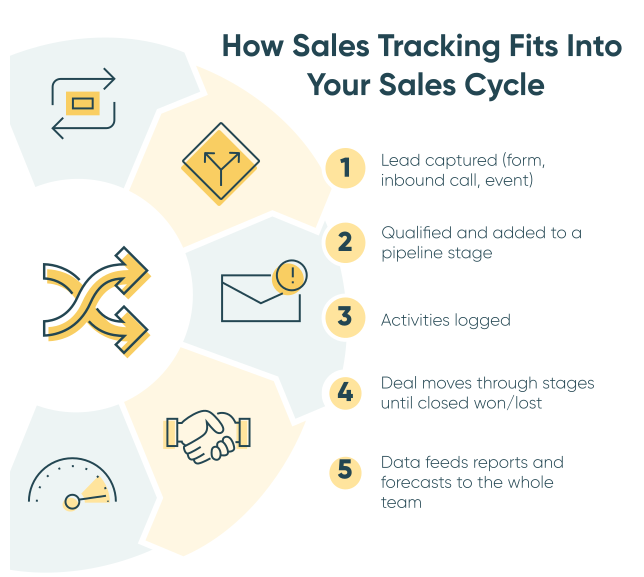
How it works
Sales tracking software is a digital tool that logs and organizes leads, deals, and sales activities, enabling teams to view pipeline health, track performance, and predict revenue using data.
These tools gather leads from various sources, store contact details in a centralized database, monitor interactions like calls and emails, and compile data into dashboards and forecasts.
When it’s most helpful
According to Salesforce, sales tracking software helps teams avoid missing targets by providing specific insights—such as which deal stages face the longest delays, which lead sources convert the best, or which reps need coaching—allowing leaders to make adjustments before problems grow.
Who uses it
Sales tracking software supports your entire revenue process by maintaining a continuous flow of information. This steady flow ensures nothing slips through the cracks and that every team member is aware of current opportunities, from SDRs to executives.
If you’ve been in sales even for a day, you know that every step, no matter how small, is just as important as closing the deal. Sales tracking software works in the background to handle routine tasks so you can stay focused on meaningful conversations and closing revenue.
The Shortlist: Best Sales Tracking Software for 2026
Among many software options, these platforms emerged as the leading choices in their category.
Best overall sales tracking software: HubSpot Sales Hub
Offers the best balance of power and usability, with ‘freemium’ features that are genuinely useful for teams seeking an all-in-one CRM and sales-tracking combo.
Best for small teams: Pipedrive
Purposely built for pipeline management with a visual interface that sales reps really enjoy using.
Best for enterprise organizations: Salesforce Sales Cloud
Offers a software that can handle volume and complexity, plus enterprise-grade custom structures, reporting, and AI capabilities.
Best DIY and workflow-driven tracking: Cognito Forms
Gives complete control over lead capture with powerful workflow automation to streamline handoffs, tasks, and visibility across roles.
What is the Best Sales Tracking Software for 2026?
While these four represent our shortlist, several other platforms deserve consideration based on your specific use cases. The best software will be the one that fits your unique business needs and objectives.
| Software | Best For | Starting Price | Standout Features |
|---|---|---|---|
|
HubSpot Sales Hub
Full CRM platform |
Best for growing businesses desiring scalability |
$20/user/month Free plan available |
|
|
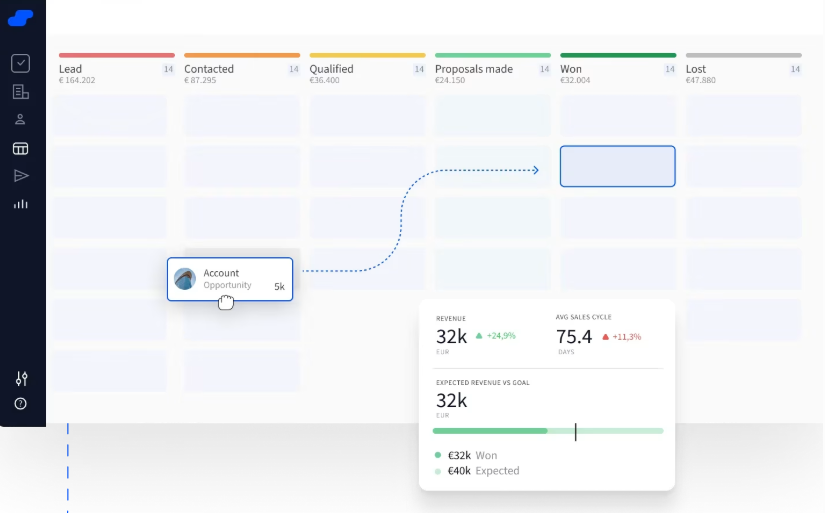
Pipedrive
Sales tracking software (pipeline-focused) |
Best for small to mid-size sales teams |
$14/user/month 14-day trial |
|
|
Salesforce Sales Cloud
Full CRM platform |
Best for enterprise teams with complex processes |
$25/user/month Free plan and trial available |
|
|
Cognito Forms
DIY form sales tracking solution |
Best for custom automation workflows and lead capture |
$19/month 14-day trial |
|
|
Salesflare
Automated CRM platform |
Best for small B2B teams who want semi-auto data entry |
$29/user/month 30-day trial |
|
|
Close
Sales engagement CRM platform |
Best for inside sales teams making high call volumes |
$35/user/month 14-day trial |
|
|
Copper
Sales tracking software (pipeline-focused) |
Best for Google Workspace sales teams |
14-day trial $12/user/month |
|
|
Streak
Gmail-embedded CRM |
Best for Gmail solopreneurs |
14-day trial $15/user/month |
|
|
Airtable
Spreadsheet-enhanced |
Best for teams that use spreadsheets and want more power |
14-day trial $20/user/month |
|
To make it easier to filter through the many options, we’ve divided the list into three types: CRM Enterprise with Sales Tracking Software included, Sales Tracking Software, and DIY form sales tracking solutions.
Whether your business requires the power and all-in-one software of a CRM, the simplicity of specialized sales tracking solutions, or the customization of a DIY solution, you can find the top software to fit your business needs.
Top CRM Enterprise with Sales Tracking Software
These all-in-one customer relationship management platforms offer sales tracking along with additional features that let you not only monitor sales but also interact with real customers. They cater to larger teams and organizations aiming to expand their sales processes and engagement.
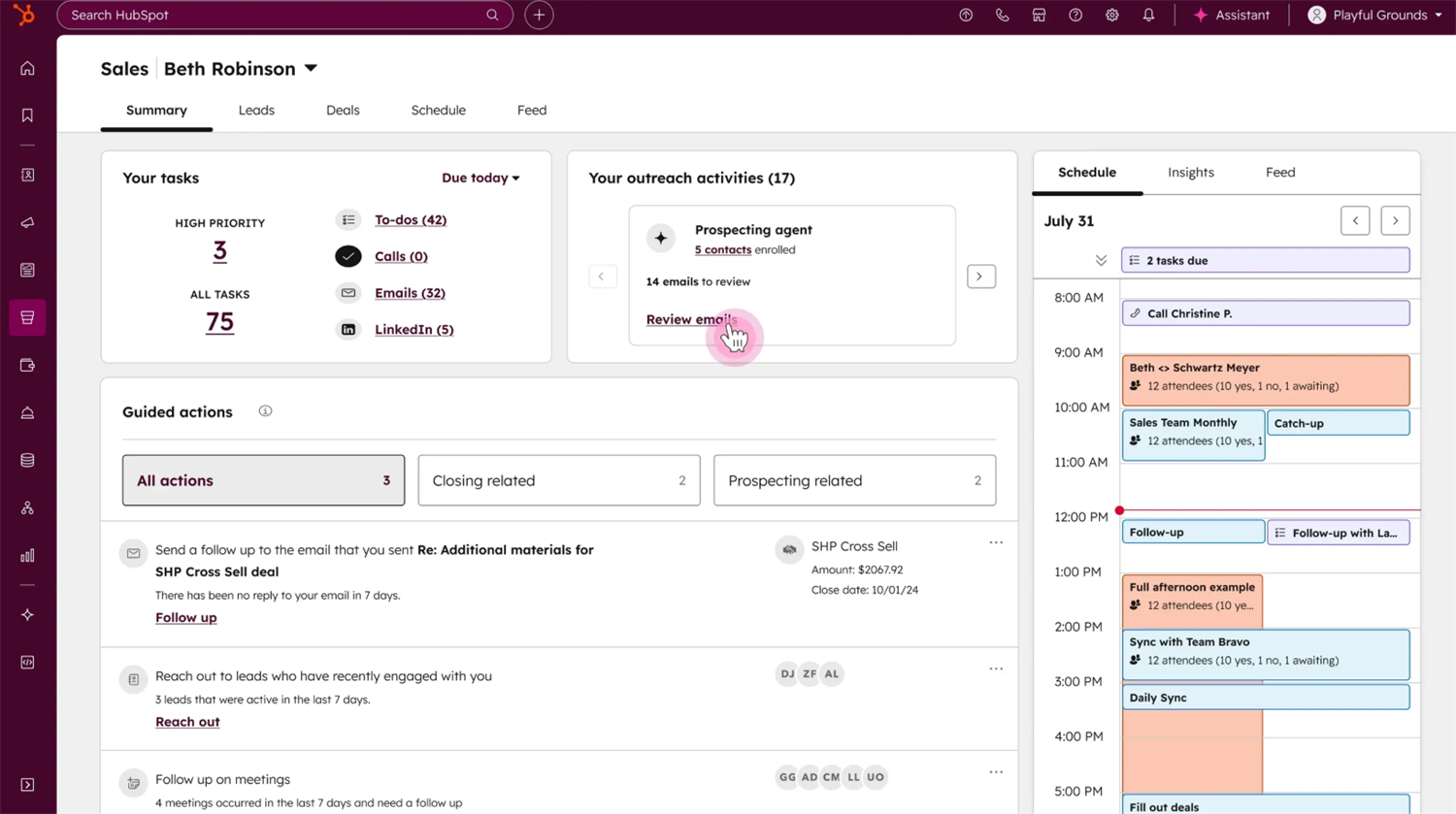
HubSpot Sales Hub
HubSpot Sales Hub is a modern, user-friendly CRM that combines powerful features with ease of use, offering a generous free tier and seamless integration across marketing, sales, and service functions.
Who it’s for
Growing businesses need scalability, teams seeking quick implementation without sacrificing power, and companies plan to expand into marketing automation.
- Extremely intuitive interface with minimal training required
- Generous free plan with core CRM features included
- Seamless marketing, sales, and service integration
- Built-in email tracking and sequencing
- Mobile app
Pros
- Advanced features get expensive at higher tiers
- Free plan has some limitations on contacts and reporting
- Costs add up quickly as you add users
Cons
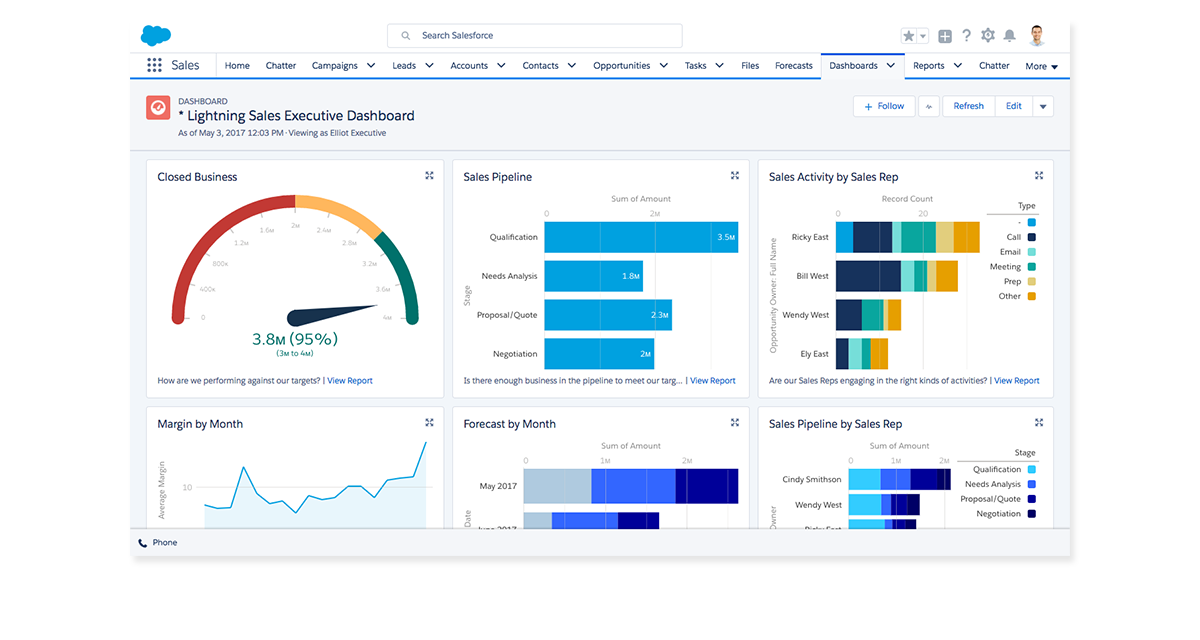
Salesforce Sales Cloud
As one of the most comprehensive and customizable CRM platforms available, Salesforce Sales Cloud is designed for enterprises and complex sales teams that need extensive automation and advanced reporting capabilities for their unique sales processes.
Who it’s for
Large teams with complex sales processes, companies requiring deep customization, organizations planning to grow to hundreds of reps, and businesses seeking advanced AI and analytics.
- Unlimited customization for any sales process
- Massive app ecosystem with thousands of integrations
- Advanced AI features with CRM Analytics
- Scales to any organization size
- Robust reporting and insights
Pros
- Steepest learning curve of any CRM
- Highest total cost of ownership
- Slower implementation (weeks to months)
Cons
Salesflare
Salesflare, an automated B2B CRM, fills itself in by pulling data from email, calendars, social media, and databases, minimizing manual data entry while providing powerful insights for small sales teams.
Who it’s for
Small B2B sales teams (2-20 people) who want semi-automated data entry, consultants and service businesses with relationship-focused sales, and teams wanting automation without complexity.
- Automatically captures contact info and interactions from email/calendar
- Minimal manual data entry required
- Highly rated for ease of use
- Built-in email tracking and meeting scheduling
- Robust reporting and insights
Pros
- Works best for email-based sales (not ideal for phone-heavy)
- Limited customization compared to other platforms
- Advanced features require higher tiers
Cons
Top “Out-of-the-Box” Solutions That Specialize in Sales Tracking
“Out-of-the-box” solutions serve teams that need a straightforward, dedicated sales-tracking platform without the expensive overhead of a full-scale CRM. These solutions are often set up with the most popular features and metrics.
Pipedrive
Pipedrive is a pipeline-focused sales tracking software built by salespeople for salespeople, highlighting visual deal management and activity-based selling with a clean, distraction-free interface. Known for its ease of customization, Pipedrive gives you the flexibility to adapt the system to your sales process.
Who it’s for
Small to mid-size sales teams (5-25 people) seeking powerful pipeline tracking without complexity, and teams that value simplicity over extensive features.
- Attractive, user-friendly visual pipeline interface
- Built-in activity-based selling methodology
- Excellent mobile app for field sales
- Fast setup—ready in just hours
- Cost-effective pricing with essential features included
Pros
- Limited marketing automation capabilities
- Fewer customization options than enterprise CRMs
- Basic reporting on lower-priced tiers
Cons
Copper
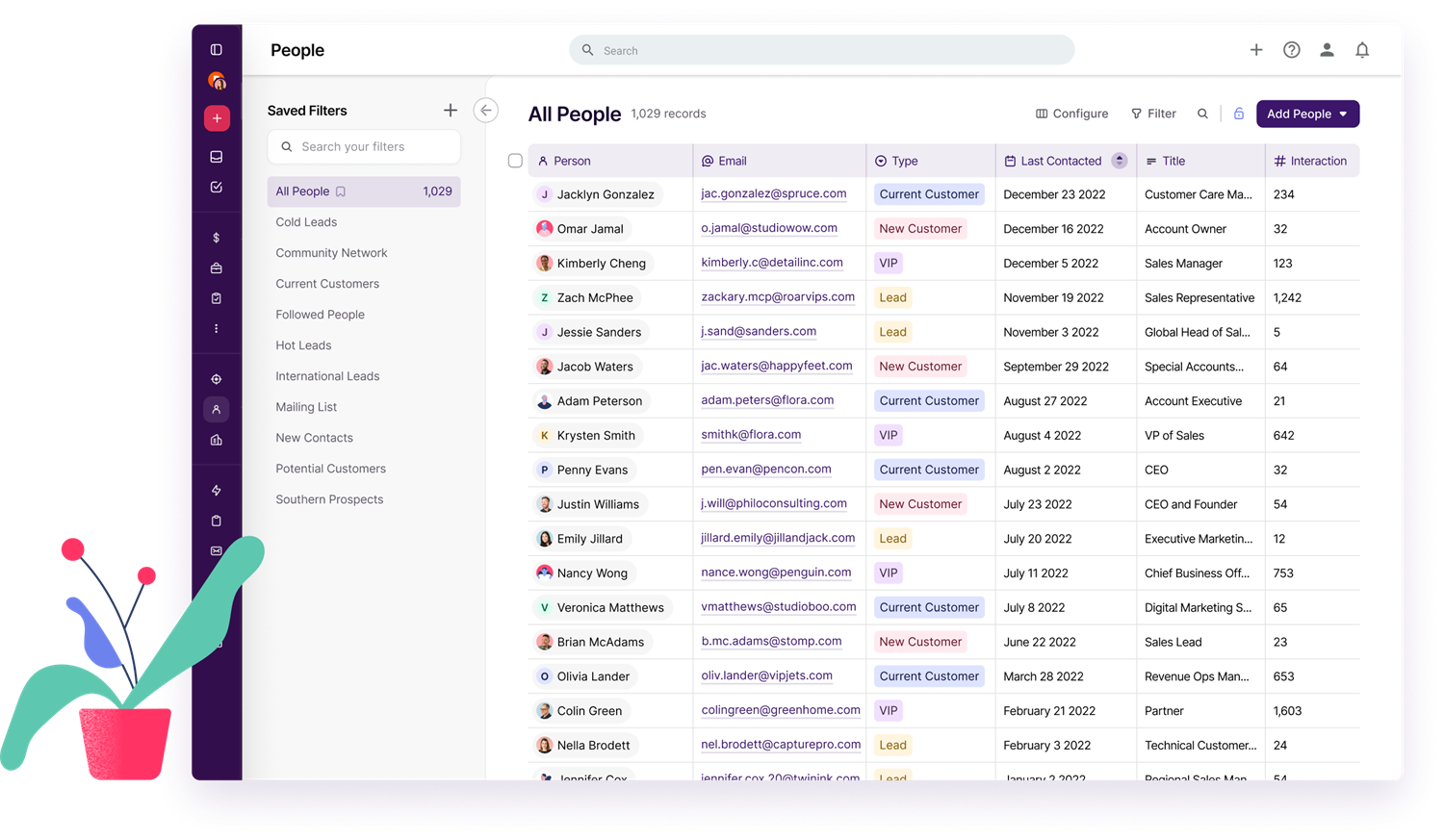
Copper Copper is a unique CRM designed specifically for Google Workspace users, integrating deeply with Gmail, Google Calendar, and Google Drive to minimize manual data entry and work within your existing workflow. Copper is designed to integrate your sales tracking seamlessly into your current communication system.
Who it’s for
Google Workspace power users, teams that use Gmail, and small business who don’t need a full-CRM.
- Seamless Google Workspace integration
- Minimal data entry
- Clean, simple interface
- Relationship-focused approach
- Automatically captures email threads and attachments
Pros
- Limited value if you don’t use Google Workspace
- Fewer customization options than enterprise CRMs
- Better for relationship management than complex pipelines
Cons
Close
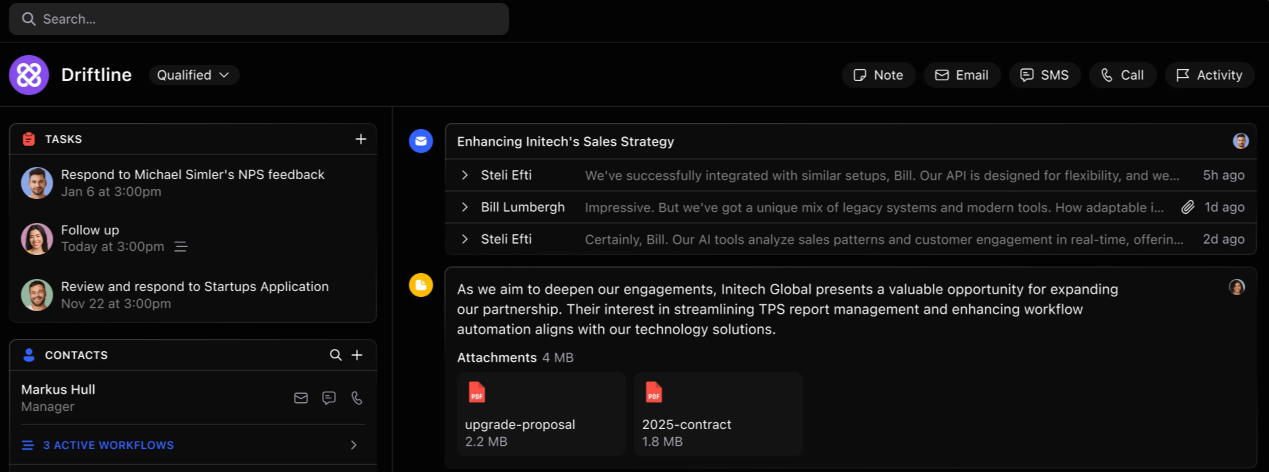
Close is a sales engagement CRM built specifically for inside sales teams that handle high call volumes. The platform offers built-in calling, SMS, and email capabilities integrated directly into the software for easier sales task management.
Who it’s for
Inside sales teams that make 50+ calls per day, outbound sales organizations, and fast-paced sales environments focused on phone conversations.
- Built-in power dialer and calling features
- Automatic sales tracking and recording
- SMS capabilities for text-based outreach
- Clean interface
- Automatic call and recording
Pros
- More expensive than basic CRMs
- Not ideal for field sales or relationship-focused sales tracking
- Limited marketing automation features
Cons
Streak
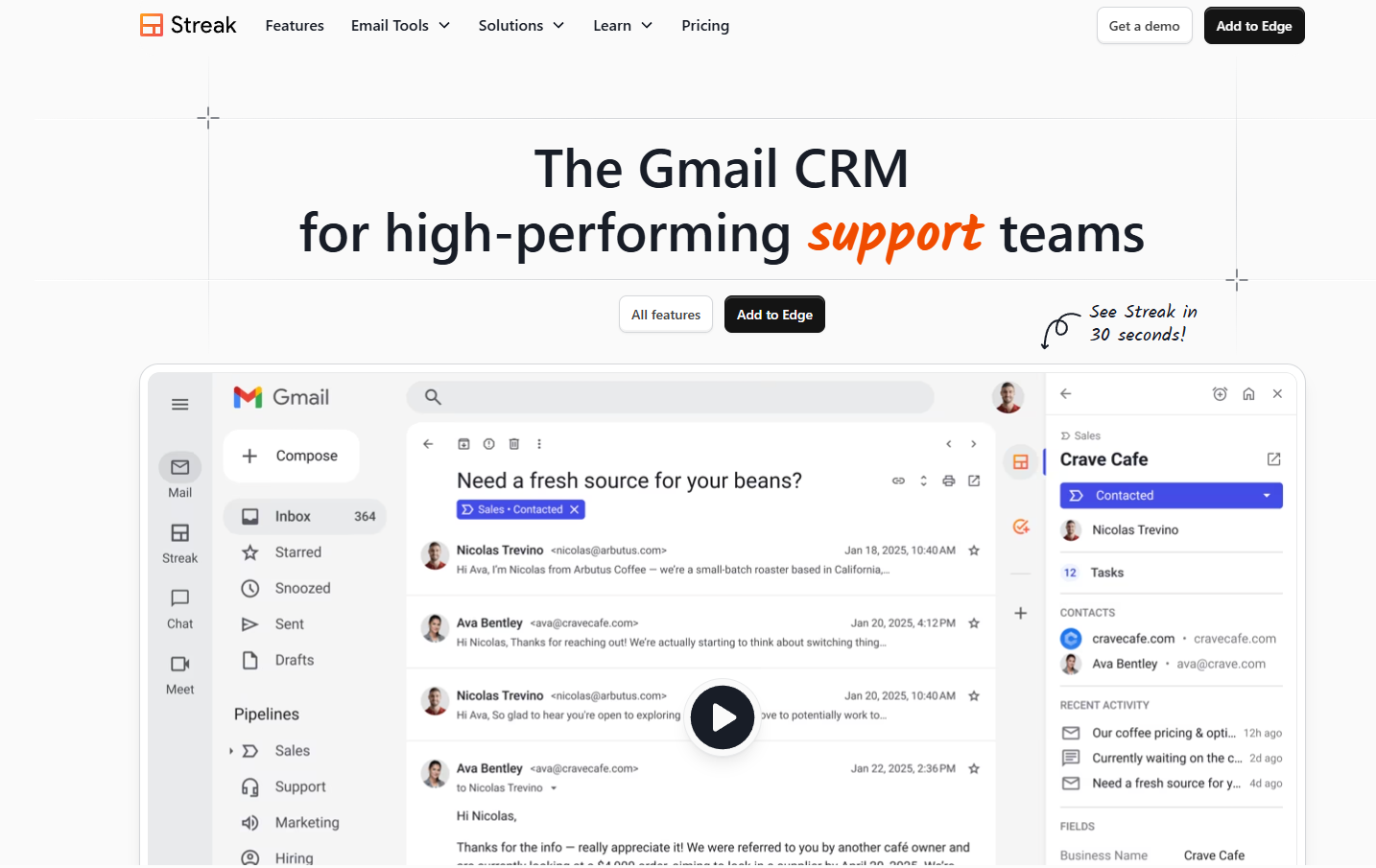
Streak, a unique CRM that lives entirely inside Gmail, allowing users to manage their sales pipeline without ever leaving their inbox, making it ideal for Gmail-dependent teams and solopreneurs.
Who it’s for
Solopreneurs and small teams (1-10 people) who live in Gmail, consultants and freelancers wanting minimal friction, and teams that wish CRM capabilities without learning new software.
- Lives entirely in Gmail
- Extremely simple setup and use
- Mail merge and email tracking built in
- Affordable pricing
- Made for Gmail power users
Pros
- Only works if you use Gmail (dealbreaker for any other email users)
- Limited features compared to other sales tracking platforms
- Basic reporting capabilities
Cons
Top DIY Sales Tracking Solutions for Small to Medium Businesses
DIY options provide budget-friendly flexibility for smaller teams that prefer to build custom workflows and set up integrations with their current tech stack.
Cognito Forms
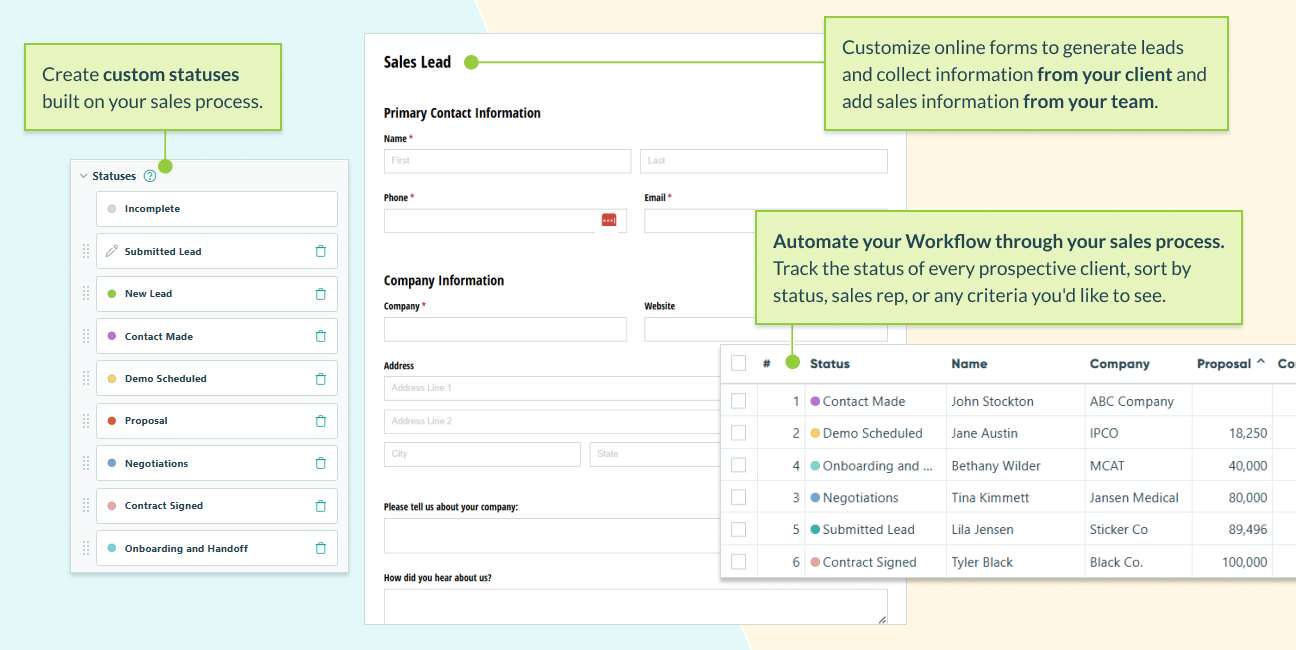
Cognito Forms, a powerful form builder with advanced conditional logic and workflow automation, allows teams to build custom automated workflows for sales processes, smart forms for lead capture, and integrations to their existing sales tools. It serves as a reliable database that performs essential sales tracking functions without the deep commitment traditional CRMs require.
Who it’s for
Teams with unique sales processes that don’t fit standard CRM templates, small businesses wanting to minimize costs without sacrificing power, and organizations that need accurate data validation.
- Ultimate flexibility in form design and data structure
- Advanced conditional logic for smart, adaptive forms
- Person fields for structured contact data collection
- Unlimited forms on the free plan
- Workflow automation with tasks and reminders
Pros
- Requires more setup than pre-built CRMs
- DIY approach not ideal for teams wanting turnkey solutions
- Needs integration with other tools for full CRM functionality
Cons
Airtable
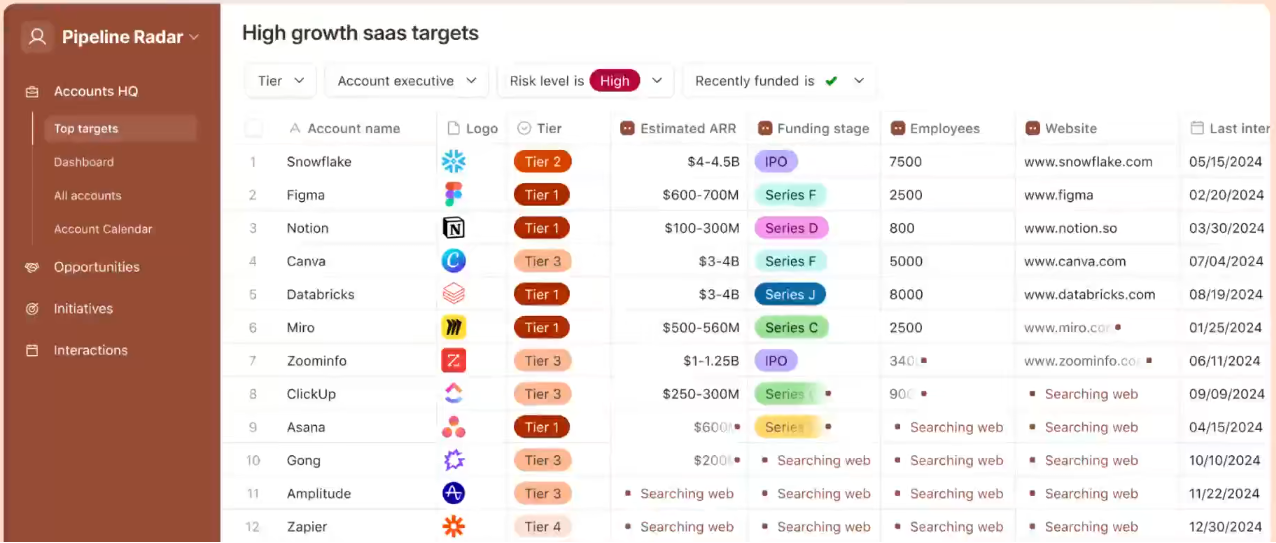
Airtable blends the familiarity of spreadsheets with the functionality of a relational database, enabling flexible workflows and collaboration. It can grow alongside a business’s needs with multiple view options and automation.
Who it’s for
Small to mid-sized teams that want flexible, lightweight “database meets spreadsheet” tracking
- Familiar spreadsheet interface with database power
- Customizable
- Multiple views (kanban, grid, calendar)
- Automation capabilities
- Collaboration tools like commenting, user permissions, and shared workspaces
Pros
- Requires more setup time and configuration
- Pricing adds up with advanced features
- Learning curve steeper than simple CRMs.
Cons
Why Sales Tracking Software Matters
Now that you’ve seen how the tools compare, it’s worth stepping back and asking why sales tracking software matters.
When you’re working with just a few deals, it’s easy to remember where everything stands. However, as your pipeline grows, you risk data becoming jumbled, follow-ups being delayed, and promising opportunities slipping away.
Without a dedicated system to track proposals or deals:
- Slow-moving opportunities stall without much notice
- You can’t clearly see which tactics are working (or dragging performance down).
- Forecasts rely more on “gut feel” than on reliable data.
Sales tracking software centralizes your data and gives your entire team a shared, real-time view of the pipeline. That means:
- Reps know exactly what to do for each opportunity.
- Managers can coach more effectively and spot any issues early.
- Executives can receive high-level dashboards and plan for budget, headcount, and strategy with confidence.
Essential Features to Look for in Sales Tracking Software
Understanding what sales tracking software provides—and which features are most important—will help you confidently select the right platform for your team. Here are some features to look for.
-
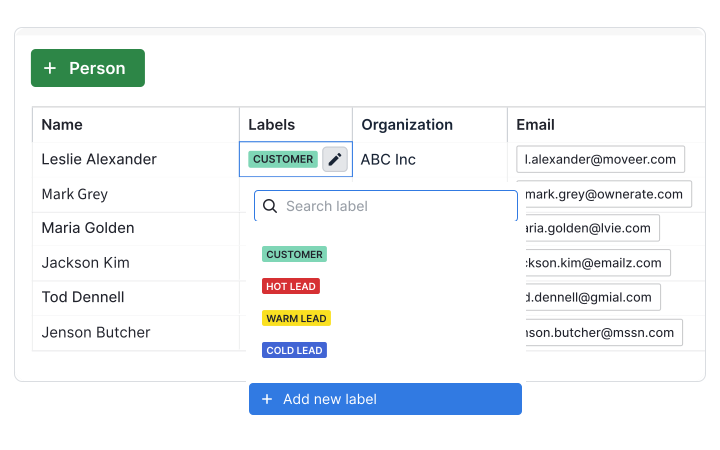
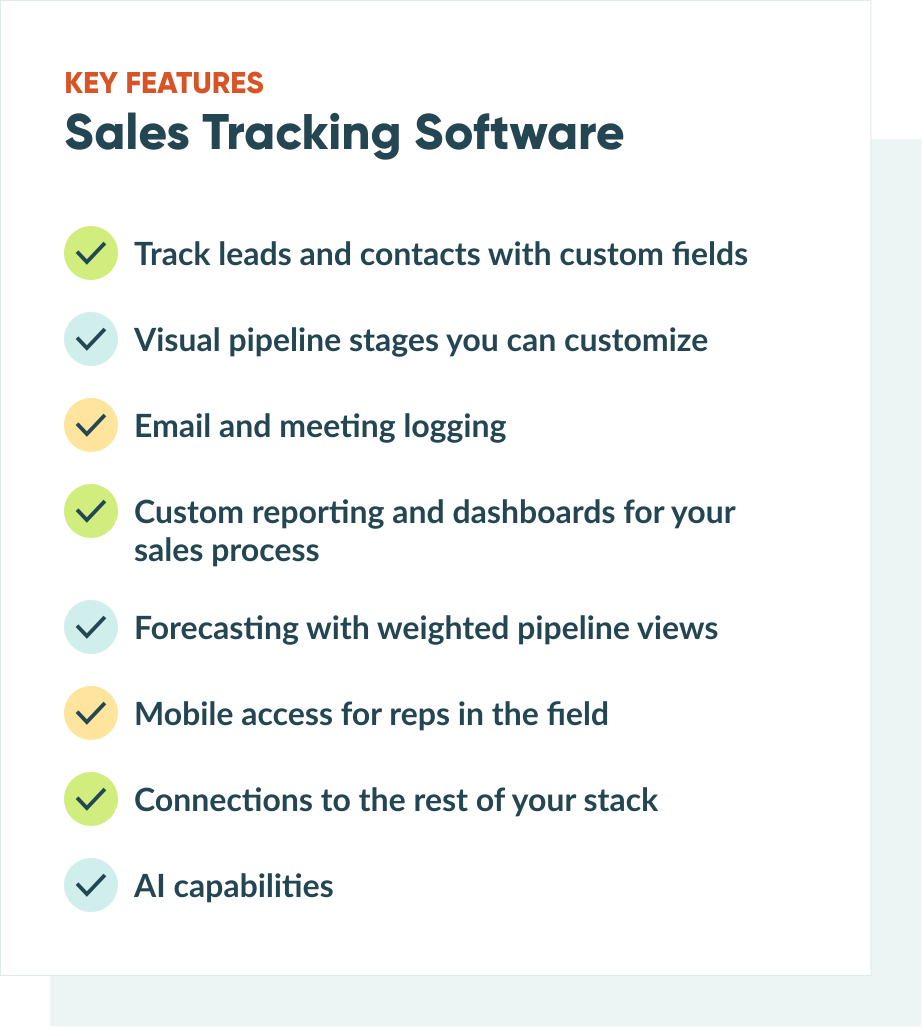
Lead and contact management
The system should make it easy to add, organize, and search for contacts. Custom fields help track data relevant to your sales process—like company size, industry, or budget. Look for tools to segment, tag, and create views so reps can quickly find leads needing attention. -
Pipeline and deal management
A drag-and-drop pipeline view helps identify bottlenecks. Customize stages to match your sales cycle, not just generic categories like “prospect, qualified, proposal, closed.”
The best tools let you set up multiple pipelines for different product lines or sales motions. Visual pipelines make it immediately clear where deals are stuck. If you see twenty opportunities in “proposal sent” but nothing moving to “negotiation,” you know exactly where to focus.
-
Email and meeting logging
Automatic logging of emails, calls, and meetings creates a complete history without manual data entry. The best systems integrate with your email and calendar to capture activities in the background. -
Custom reporting and dashboards
Real-time dashboards show team performance, conversion rates, and pipeline health at a glance. Look for pre-built reports that answer common questions: What’s my win rate? Which lead would convert best? How long does our average sales cycle take? -
Forecasting capabilities
Weighted pipeline views and win probability tacking give you a realistic picture of likely revenue rather than just adding up every open deal. Advanced tools use historical data to estimate probabilities based on deal stage and characteristics. -
Mobile access
Mobile apps ensure your team can update details, deals, check contact details, and log activities from anywhere. Test the mobile experience during trials to ensure it works on the go. -
Integration ecosystem
Your sales tracking software should connect seamlessly with your email, calendar, marketing automation, and other business tools. Check that CRM and sales tools integrate with your existing stack before committing. -
AI-powered capabilities
Many modern platforms now include AI features like lead scoring, predictive forecasting, activity recommendations, and automatic data entry. True AI capabilities require significant data to be effective—so a small team won’t see much of a benefit without 100+ closed deals of data. Real AI features typically reside in higher-priced tiers ($75- 75-150+/user/month).
Core Benefits of Sales Tracking Software
Sales tracking software provides several key advantages that transform how teams sell. Here’s what matters most.
Visibility across your entire pipeline
You can see exactly where every opportunity stands, which deals are stalling, and where your team should focus attention. No more wondering what happened to that lead from three weeks ago or asking reps for manual status updates. Sales managers can view the entire pipeline at a glance and identify bottlenecks before they impact revenue.
Data-driven decision
Instead of relying on gut feelings about which prospects to prioritize, you can see conversion rates by source, average deal size by industry, and time-to-close by rep. This intelligence shapes smarter strategies and helps you double down on what works. You’ll know which marketing channels deliver the best leads, which sales tactics close deals fast, and where to invest more resources.
Accountability and follow-through
When every interaction is logged, nothing falls through the cracks. Your team knows who owns what, what’s due next, and where deals might need intervention. This creates natural accountability without micromanagement. Reps can’t forget to follow up because the system reminds them. Managers can see activity levels without constantly checking in.
Forecasting accuracy
Leadership can confidently project revenue with real-time visibility into deal stages, probabilities, close rates by source, average deal size by industry, and time-to-close by rep. AI insights and weighted pipelines inform smarter strategies, highlighting top marketing channels, effective sales tactics, and areas for resource investment.
Team efficiency
Automating data entry, reminders, and routine tasks frees sales reps from administrative duties, allowing more time for selling. The software handles tasks like updating spreadsheets, logging calls, and sending reminders, saving hours weekly. This enables your team to focus on building relationships and closing deals.
Better collaboration
Sales tracking software creates natural visibility across roles. SDRs, account executives, managers, and leadership all see what’s happening in real time. Having a single platform where everyone can track progress and share access means supervisors stay up to date on deals as they develop—not after they’re already lost.
This visibility makes management more proactive and helps sales reps feel supported. Teams work stronger as a unit when everyone operates from the same information and can jump in to help when needed.
Types of Sales Tracking Solutions
Sales tracking software comes in several varieties. None are exactly the same. Many are built for different needs.
-
Full-scale CRM platforms
Tools like Salesforce, Microsoft Dynamics 365, and HubSpot handle sales tracking plus marketing, customer service, and advanced analytics. Best for growing companies that need an all-in-one solution or for enterprises with complex sales processes that require robust lead and deal tracking across departments. -
Industry-specific CRMs
Some software is designed for particular industries such as real estate, insurance, or financial services. These come with pre-configured relevant fields, stages, and workflows, significantly reducing setup time. -
Pipeline-focused tools
Pipedrive, Close, and Cooper emphasize visual pipeline management and sales activities. They’re lighter than full CRMs, easier to learn, and built specifically around moving deals forward. These sales tracking software solutions for small-business teams get reps up and running in hours rather than weeks. -
Form and workflow builders
Platforms like Cognito Forms excel at custom lead capture and can route data into spreadsheets, CRMs, or other systems. You can create the exact sales forms your process requires using conditional logic that adjusts based on prospect responses. -
Spreadsheet-enhanced solutions
Tools like Airtable and Smartsheet combine the familiarity of spreadsheets with CRM-like features. Ideal for teams moving from basic spreadsheets who want more power without a steep learning curve.
Costs and Pricing for Sales Tracking Software
Understanding pricing tiers is helpful, but remember that costs vary significantly depending on your needs. Most sales tracking tools use a per-user, per-month pricing model. Here’s what to expect:
Free and entry-level ($0-15/user/month)
Basic contact management, simple pipeline tracking, and limited integrations. HubSpot, Zoho, and Cognito Forms offer viable free entry-level options. Best for solo founders, small to mid-size businesses, and startups with under five people.
Mid-tier ($15-50/user/month)
The sweet spot for most small to medium businesses. You get automation, custom reporting, improved mobile apps, and a solid integration ecosystem. Best for sales teams of 10-50 people and established small businesses.
Enterprise ($50-150/user/month)
Advanced features like AI predictions, custom objects, enhanced security, and dedicated support. Best for large sales organizations or companies with complex compliance needs.
Hidden costs
Published prices often don’t include implementation fees (sometimes upwards of $5,000-$15,000 for enterprise CRM), training costs, integration development, data migration, and add-on features. Always get a complete quote including setup, training, and the features you’ll need.
How to Choose the Best Sales Tracking Software for You
Choosing the right sales tracking software can be overwhelming - hundreds of options exist. Take stock of your current tools and clarify the essential features to make your sales process run smoothly. List each requirement as a must-have or nice-to-have.
For example, pick a tool with AI-driven insights if you need advanced forecasting. The right features help you see opportunities, avoid common roadblocks, and plan for success.
Consider your budget, team size, and the level of customization you need. Look for robust reporting and analytics or integration with analytics software so you can make data-driven decisions and continue optimizing your sales process over time.
After determining what features are essential for your team, compare that list to the top Sales Tracking Software. Run demos or free trials to “kick the tires” for any software that checks all your boxes. Getting hands-on experience with your team’s workflow will help you confirm which solution meets your requirements and set you on the path to consistent sales growth.
Making Your Decision
Data-driven decisions win deals and power consistent growth. Adding sales tracking software will elevate your sales team by automating repetitive tasks and leaving more time for strategic outreach and genuine relationship-building.
Remember that a simpler tool your team uses every day will always outperform a sophisticated platform that sits unused. Choose based on your reality, not your aspirations. You can always upgrade as your needs grow, but you can’t recover the time and momentum lost to a tool your team won’t embrace.
Sales tracking is not a ‘set it and forget it’ effort. As your business evolves, regularly review your metrics and refine how your team uses the platform. The right sales tracking software becomes invisible as it becomes a part of your team and sales process.
Take Control of Your Sales Process
Are you looking for an easier way to manage leads without the overhead of a full-blown CRM? Cognito Forms is a DIY solution that lets you build custom lead forms, capture data, automate your workflow, and keep your pipeline organized – all without complex setup or code.
- Drag and drop form builder for easy customization.
- Conditional logic to collect unique data from each lead based on their responses.
- CRM integration for seamless data flow with the software you are already using.
- Automated Workflow so you never miss a follow-up.
- Mobile-friendly design for on-the-go internal and external users.
FAQ
Sales tracking software is a digital tool that records, organizes, and analyzes sales activities. It tracks leads, opportunities, customer interactions, and deals through your sales pipeline, replacing manual spreadsheets with automated systems that provide real-time visibility into performance and revenue forecasting.
The terms are often used interchangeably—most modern sales tracking tools are CRMs or CRM modules. Sales tracking focuses on pipeline and deal management, while full CRMs typically include features for marketing, customer service, and relationship management. For most small to mid-size businesses, the terms mean the same thing.
The must-haves are contact management, visual pipeline stages, activity tracking, and basic reporting. Beyond that, prioritize based on your needs: inside sales teams benefit from built-in calling, field sales teams need excellent mobile apps, and teams with long sales cycles want advanced forecasting. Most teams find email integration, custom fields, and dashboard reporting essential for daily use.
Different roles use sales tracking tools for various reasons. Sales reps use it to manage their pipeline and daily follow-ups. Sales managers use it to track team goals, provide coaching, and build forecasts. Company leaders use it to plan revenue targets, hiring needs, and strategic initiatives. If you handle your own leads or have a small team, a straightforward platform works well. If you oversee many reps and report on trends and revenue forecasts, you’ll need software that handles complexity.

Jamie Thomas
Jamie is co-founder of Cognito Forms, an online form builder for organizations seeking to quickly and easily connect with their customers. In his free time, Jamie loves spending time with his wonderful wife and kids, training for triathlons, camping with boy scouts, singing in the choir, and trying out the latest gadgets.