Owners of an organization can update billing information at any time.
To change your billing information:
-
Find your organization’s name in the top left corner of the sidebar and select Settings.
-
Select Plan & Billing in the left-hand navigation.
-
Click the Edit button in the Billing Information section. If you do not see this section, you are either not an Owner of the organization or your organization is currently on the free Individual plan.
-
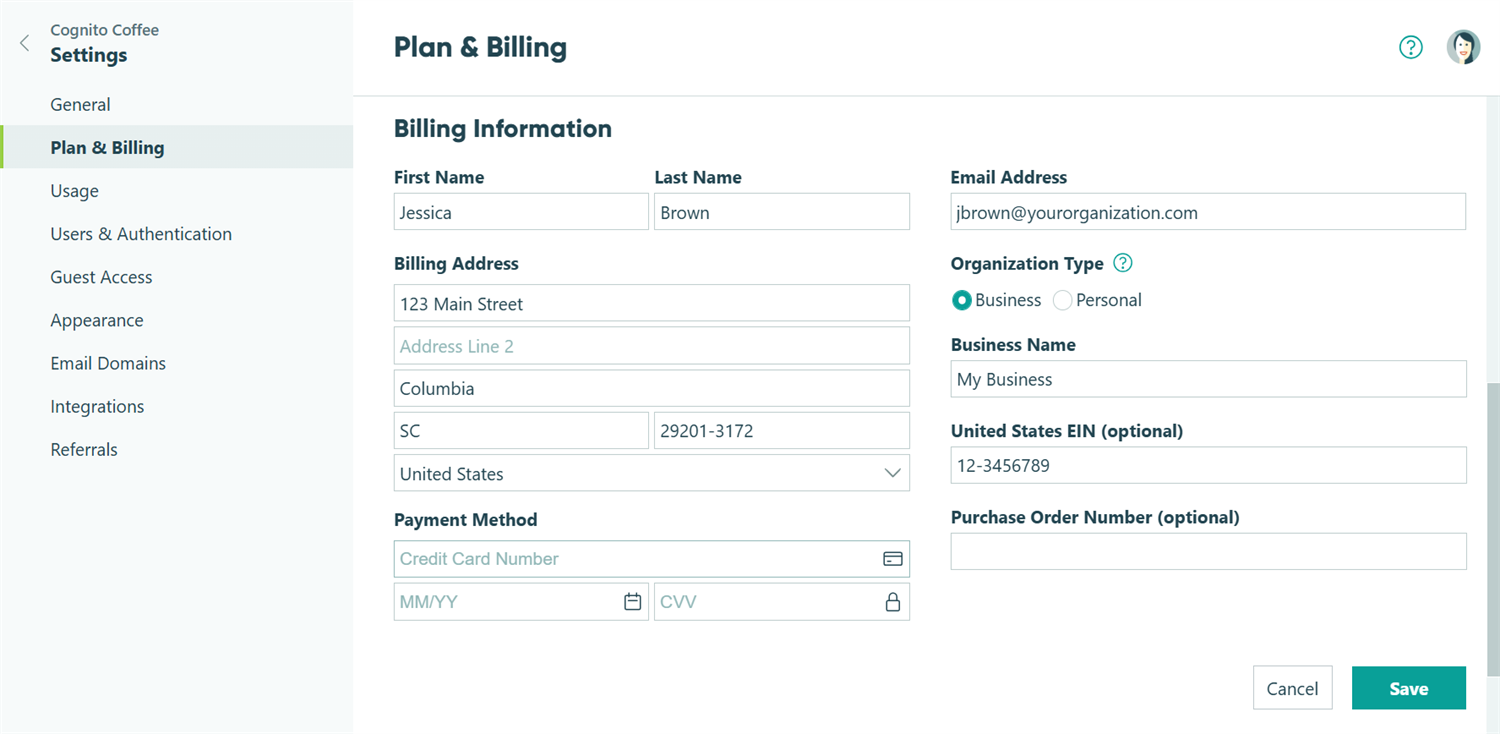
Edit any of the information you wish to change, including Name, Email Address, Billing Address, or Payment Method. All of these fields are required.
- If your organization is a business, non-profit, or government entity, select Business under Organization Type to enter your Business Name and EIN/VAT Number (if applicable). Otherwise, select Personal.
-
Click Save. This updated information will be used the next time an invoice needs to be paid.
Sales Tax and VAT
US customers with billing addresses in certain states may see sales tax charges on invoices. Learn more about our sales tax policy.
Cognito Forms collects VAT on subscriptions for organizations in EU member states. When updating your billing information, make sure your VAT number matches the country in your billing address. If you’re based in an EU member state and don’t provide a valid VAT number, Cognito Forms will charge VAT on your subscription at the rate required by your country.