Cognito Pay is currently available to organizations in the United States.
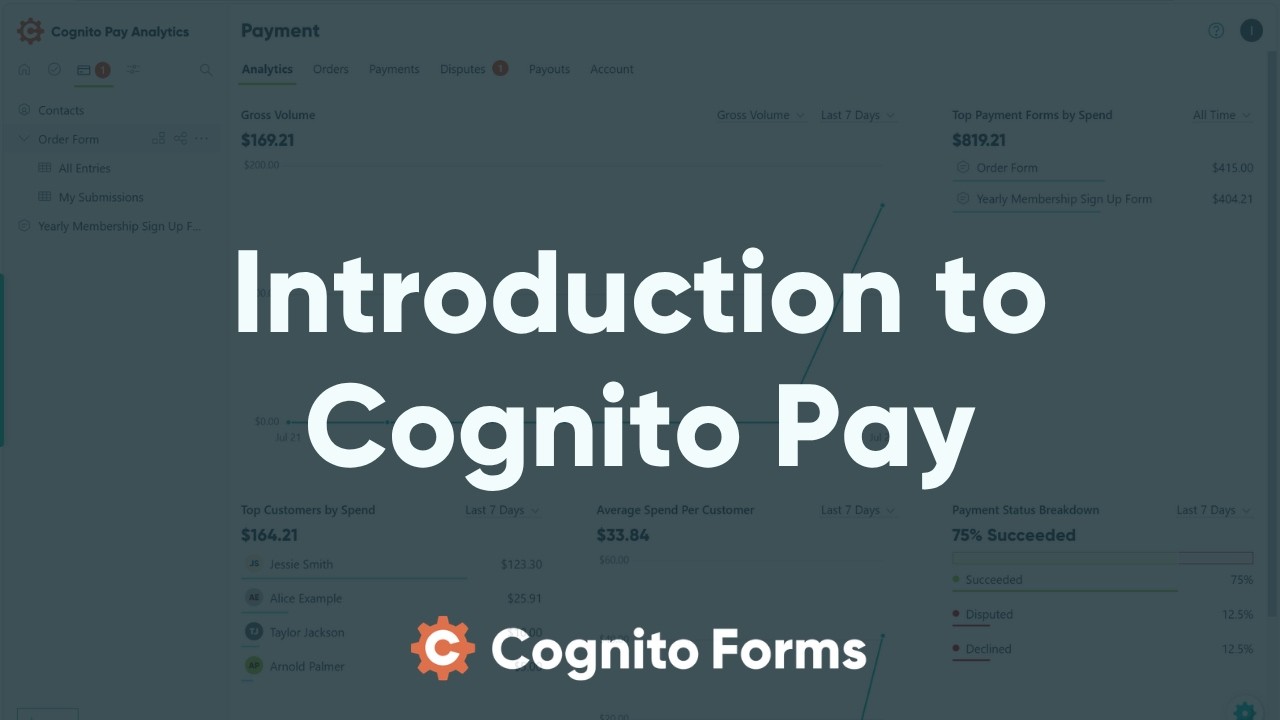
Cognito Pay is Cognito Forms’ built-in payment solution, powered by Stripe. Manage everything from a single dashboard – payments, refunds, payouts, and customer activity – without leaving Cognito Forms. Start accepting payments in minutes, including Google Pay and Apple Pay for faster checkout.
Pricing and fees
Cognito Pay is available on every plan level with a processing fee of 2.9% + 30¢ per successful transaction. Organizations on the Individual and Pro plans are also charged an additional fee: 2% on the Individual plan and 1% on the Pro plan.
These processing fees can optionally be passed on to the person filling out the form. When you refund a transaction, the customer gets their full payment back. However, you do not get the processing fee or plan-based fee back – these remain non-refundable.
Connecting your account
Organization Owners can create new Cognito Pay accounts.
To start using Cognito Pay, connect your account and link it to your forms.
- Open any form and go to the Payment settings.
- Select Add Payment Account and click Select Cognito Pay.
- If you already have a Cognito Pay account in another organization, click Link Existing Account instead, select the account you want to use, and click Use This Account. You can skip the remaining steps.
- Select your business type and click Continue.
- Enter your personal details, including your legal name, home address, date of birth, phone number, and the last 4 digits of your SSN. PO Boxes are not accepted for identity verification – please use a physical address.
- Enter your business details, including your business name, industry, and website. If you don’t have a website, enter a product description instead – do not enter
cognitoforms.comor your form’s public link. - Add your bank account. Search and select from a list of popular banks, or enter your routing number and account number manually.
- Select a bank account to use for payouts.
- Review the information you entered and click Agree and submit.
Once submitted, your information is reviewed and your account is typically approved right away. You will also receive a confirmation email when your account is ready to collect payments.
Owners must have 2FA or SSO enabled to manage payout settings, account information, and Owner permissions in organizations using Cognito Pay. When setting up 2FA, you’ll need a backup email address that’s different from your primary email.
Using the Cognito Pay dashboard
Organization Owners and Administrators can access the Cognito Pay dashboard.
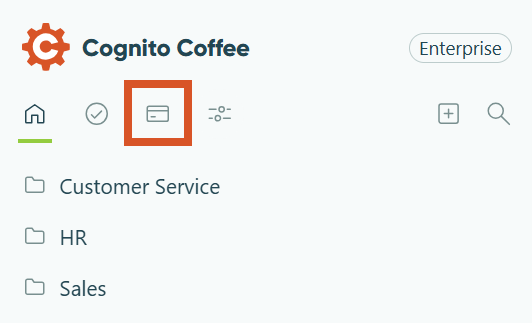
To open the Cognito Pay dashboard, click the Payments icon at the top of the sidebar, underneath your organization’s name. If you have pending items that require attention, such as active disputes, a badge will appear next to the icon.
Once your account is connected, the Cognito Pay dashboard gives you access to:
- Analytics – Track payment volume, average spend, and payment status trends over time.
- Orders – View and manage orders across all your forms, including order status, payment history, and refunds.
- Payments – Review individual payments, inspect payment details, and issue refunds.
- Disputes – Track and respond to disputes directly from Cognito Forms.
- Payouts – Monitor payouts to your bank account, manage payout schedules, and generate reconciliation reports.
- Account – Manage your Cognito Pay account details, payout schedule, connected bank accounts, and refund email settings.
FAQ
Cognito Pay is available on every plan level with a base processing fee of 2.9% + 30¢ per successful transaction. Organizations on the Individual and Pro plans are also charged an additional fee – 2% on the Individual plan and 1% on the Pro plan.
Yes. You can pass your convenience fees on to your customers by enabling the Include Processing Fees option in your Payment settings. This option is not available if the currency of your payment form does not match the currency of your Cognito Pay account.
Cognito Pay accepts all major credit and debit cards, including Visa, Mastercard, American Express, and Discover. Customers can also pay with Apple Pay and Google Pay. ACH and bank transfers are not currently supported.
Yes. If you’d like to give customers the option to pay later, you can configure your form to allow deferred payment. Customers who choose to pay later can be manually charged or marked as paid from the Order tab in entry details. Learn more about entries with payment →
Yes. Cognito Pay is powered by Stripe, one of the world’s leading payment processors. Sensitive card data is sent directly from your customer’s browser to Stripe and is never transmitted through or stored by Cognito Forms. Cognito Pay also supports 3D Secure authentication for an additional layer of payment security. Learn more about payment security →
Your first payout is held for 7–14 days after your Cognito Pay account is approved. After that, payouts follow your selected schedule – daily, weekly, or monthly. Learn more about payouts →