Build and publish your forms in just minutes.
Creating a new form
Only organization Owners and Administrators can create forms.
Once logged in to Cognito Forms, you can create unlimited forms for your organization. To create a new form:
-
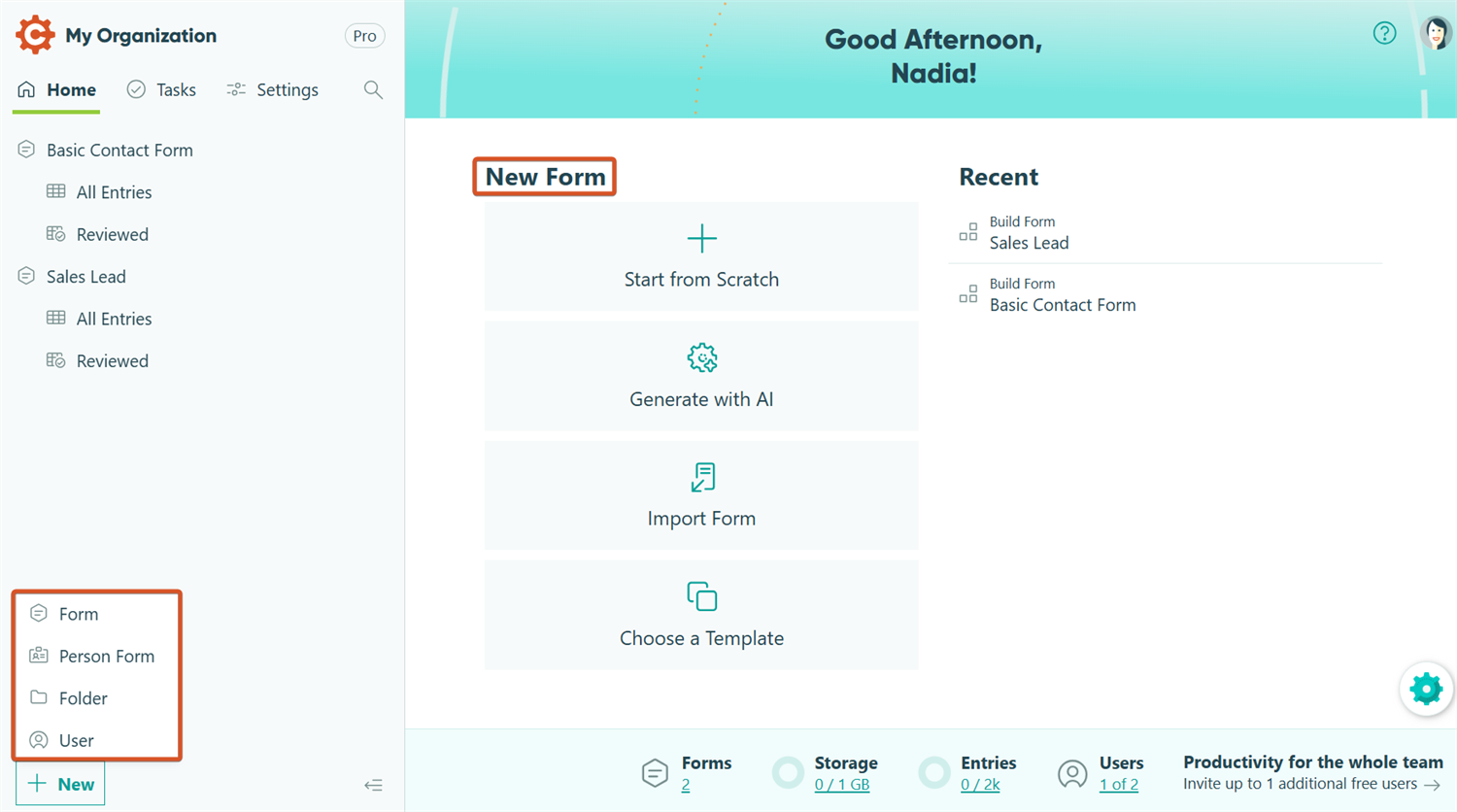
Find the New Form section on the Home page or click the + New button in the bottom left corner of the sidebar.
-
Choose whether to create a Form or a Person Form:
- Start From Scratch – Begin with a blank version of your new form.
- Generate With AI – Use Cognito Forms AI to generate a custom online form in just seconds.
- Import Form – Create a form by uploading a spreadsheet, importing from Google Forms, or importing from Jotform.
- Templates – Explore all the pre-built templates in our template gallery. When you find a template you like, select it to preview the design and Workflow diagram. From there, select Use This Template to save the template.
- Person Form – Used to manage people, with each entry representing an individual. Learn more about creating Person Forms.
-
Next, you’ll be taken to the form builder. Give the form a title, which will appear at the top of your form. You can rename your form at any time, but note that its public URL will update accordingly.
-
Customize the form by adding as many fields as you like. Add a new field by clicking on one of the placeholders and choosing the field type from the left-hand pane. There’s no limit to the number of fields you can add!
-
Click the Save button in the top right corner to save your changes.
Once you save your form, it will appear in the sidebar alongside the rest of your forms.
Create from Spreadsheet
Organizations on the Pro, Team, and Enterprise plans can create forms from spreadsheets and import entries. Individual plan users can create forms from spreadsheets, but cannot import entries.
You can quickly create a new form by uploading a spreadsheet. AI will automatically map your columns to form fields and import entries from your spreadsheet, making it easy to use your existing external data in Cognito Forms.
Please note that imported entries will count toward your organization’s entry limits, and only Excel/CSV files smaller than 1MB can be uploaded. Learn more about importing entries.
To create new forms and import entries from a spreadsheet:
-
Find the New Form section on the Home page or click the + New > Form > Import Form button in the bottom left corner of the sidebar.
-
Select Create From Spreadsheet.
-
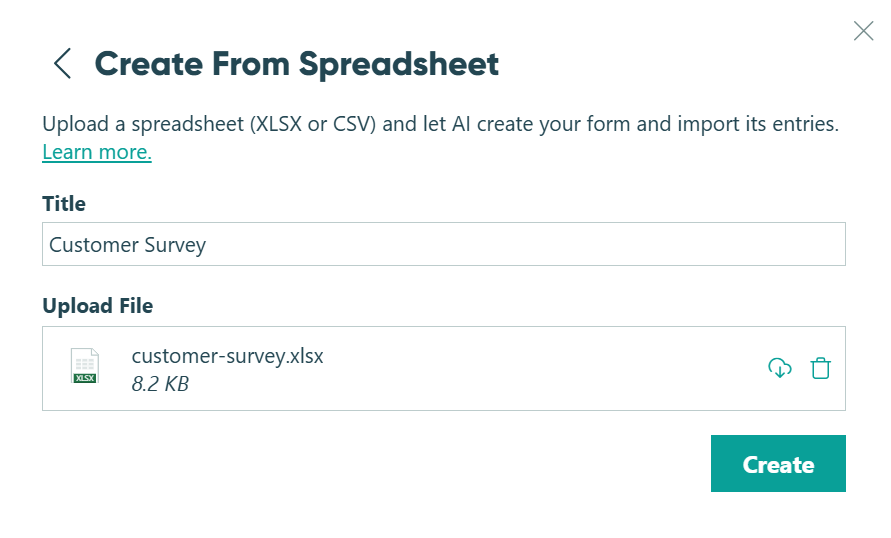
Enter a form title and, if your organization has folders, choose a folder destination.
-
Upload your CSV, XLS, or XLSX file. Make sure your file includes column headers and at least one row of data – this sample data is required so AI can determine the appropriate field type for each column. For best results, include additional rows to help the AI better identify fields, such as phone numbers, dates, or email addresses.

-
Click Create to finish.
After importing, you’ll receive an email with the results of your form creation and imported entries. Review any import errors and correct them if necessary.