When you register for a Cognito Forms account, you will automatically create your first organization. You can modify this organization at any time by finding your organization’s name in the top left corner of the sidebar and clicking Settings.
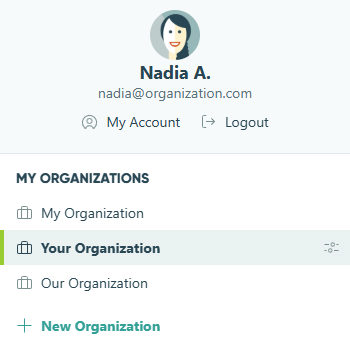
To create a new organization, select your profile image in the top right corner and then select + New Organization. You can create an unlimited number of new organizations, but only after you’ve verified your email address. Please note that each organization has its own separate billing plan.
Previewing features
When new features are in development, we occasionally make them available for early testing. If preview features are currently available, you’ll see a Preview Features section in your organization settings where you can toggle them on and learn more about what’s being tested. If you have any questions or encounter any issues, please get in touch with us.
Frequently Asked Questions
- Does Cognito Forms support two-factor authentication?
- How do I transfer ownership of my organization in Cognito Forms?
- How do I change my organization’s name?
- Can I combine two organizations into one?
- I created a new organization. Why is it on a different plan level?