
Make is a no-code automation platform that helps teams connect apps and build multi-step workflows without writing code. Using Make, you can connect your Cognito Forms to apps like Google Sheets, Asana, SharePoint, Plumsail, and more!
Connecting to Cognito Forms turns each submission into actions that automatically create records, generate documents, store files, and send updates.
- Reduce manual data entry
- Faster approvals and handoffs
- Fewer missed follow-ups
Use this integration to:
- Create CRM records and contacts
- Save PDFs and uploads to cloud
- Send emails, messages, and alerts
Triggers
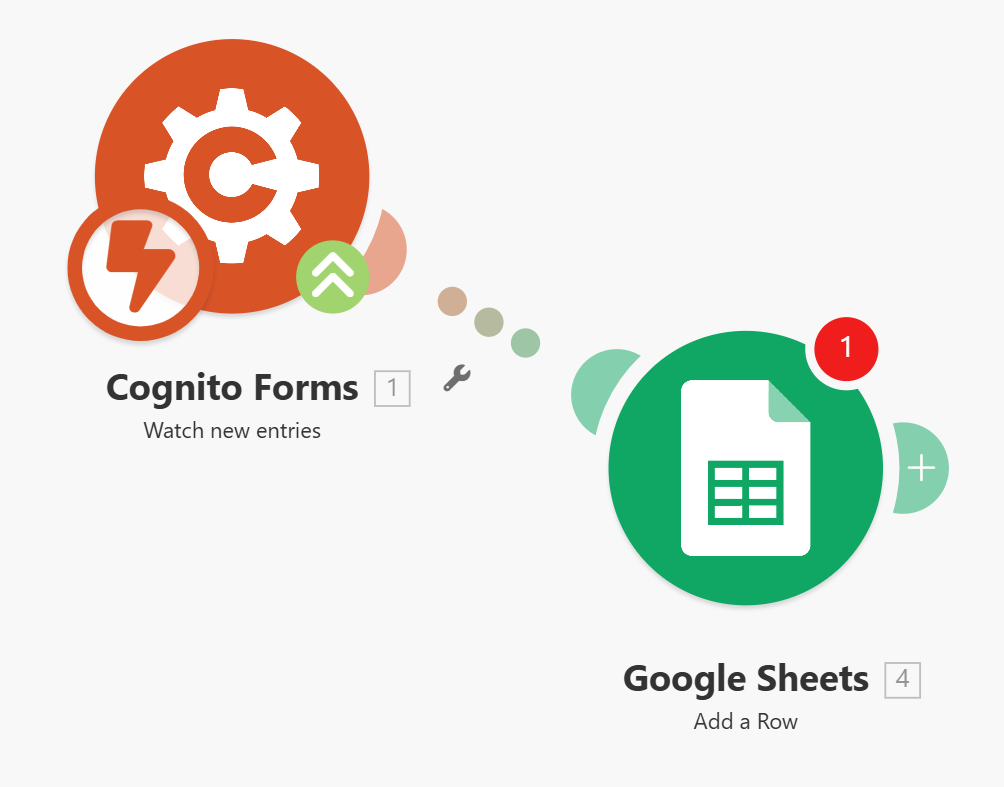
A trigger is a module that starts your scenario when something happens in Cognito Forms.
- Watch New Entries – Triggers when someone performs an action to change an entry from Incomplete to another status.
- Watch Updates – Triggers when someone updates an entry (excluding entries with a status of Incomplete).
- Watch Entry Deleted – Triggers when an entry is deleted from your form.
Actions
An action is a module that reads or writes data in a connected app.
- Create Entry – Creates a new form entry.
- Update Entry – Updates an existing entry.
- Delete Entry – Deletes a specified entry.
- Set Form Availability – Sets the availability of a form.
- Import Entries – Import form entries from CSV or Excel files. Supports creating new entries, updating existing entries, or syncing entries.
- Get Import Status – Gets the current status of an import and returns the number of successful and unsuccessful entries.
- Upload a File – Upload a file to be used with an entry.
Search
The search module makes a request (or several) and returns multiple results.
- Get Forms – Retrieves a list of available forms.
- Get Document – Retrieves documents generated by Cognito Forms, such as custom documents and free standard documents.
- Get File – Retrieves files that have been uploaded to your forms via the File Upload field as well as electronic signatures.
- Get Entry – Retrieves a specified entry.
- Get Form Entries – Retrieve entries from a form entry view using OData.
How It Works
- Log in to Make
- Create a new scenario in your dashboard
- Choose Cognito Forms as the Trigger
- Choose any action listed, like “Watch New Entries”
- Connect to your form
- Add Modules
- Select actions like sending an email, adding a row in Sheets, or saving files
- Map Form Fields
- Use data from the form to fill fields in each connected app
- Test the Scenario
- Run a test entry and confirm each step works
- Activate the Scenario
- Turn it on for real-time automation
Still need help? Check out our Make support article.